
BimmerCode for BMW and MINI
Auto & Vehicles · Customize BMW MINI Coding Personalize Features
Screenshots
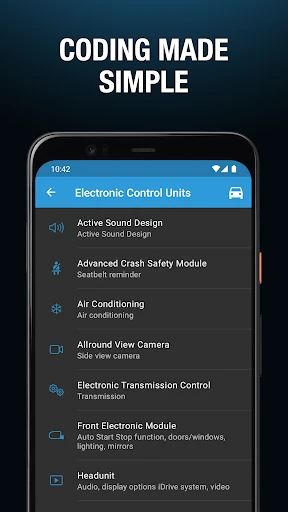
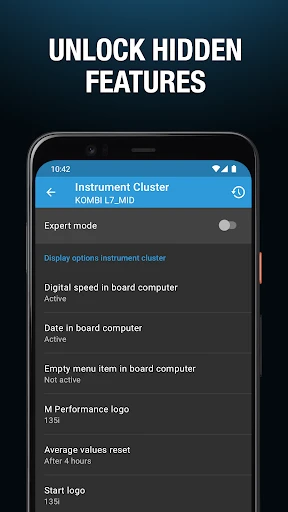
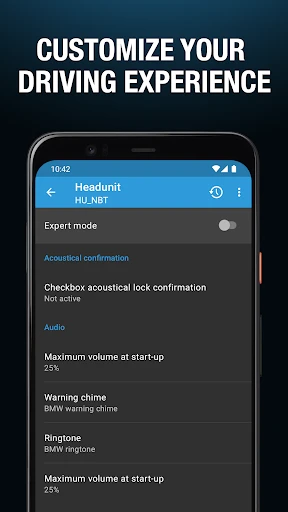
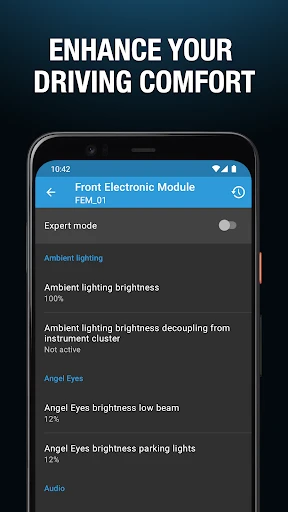
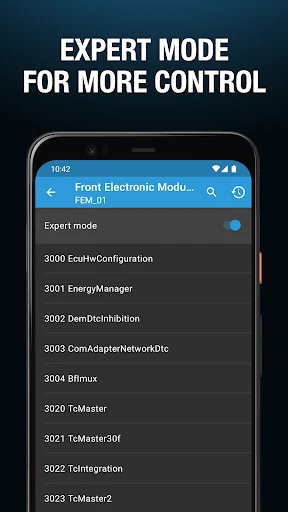
Unlock Personalization for Your BMW or MINI with BimmerCode
For BMW and MINI enthusiasts eager to personalize their vehicle, the BimmerCode app is an essential smartphone tool. It acts as a digital key to your car's electronic features, revealing a vast array of customization options. Here is an overview of what this powerful application offers.
Discover a Universe of Customizable Features
BimmerCode empowers you to modify aspects like lighting behavior, acoustic signals, and to deactivate systems such as automatic start-stop. This is achieved by connecting a compatible OBD2 adapter to your car's diagnostic port and pairing it via Bluetooth to your phone, creating a direct link for customization.
Intuitive Installation and Interface
The setup process is straightforward: download the app from your device's official store. Upon launching, you are greeted by a clear, user-friendly interface that organizes adjustable settings into distinct vehicle modules, making advanced customization accessible to all.
Delve Into Advanced Coding Capabilities
The app's core strength is accessing hidden settings beyond the standard menu. Enable automatic mirror folding upon locking, display a digital speedometer, or configure countless other features with simple taps. This brings professional-level personalization to your fingertips.
A valuable safety net is the ability to save and restore configuration profiles. This allows for risk-free experimentation, as you can always revert to a known, working setup with ease.
Prioritizing Safety and Providing Support
Safety is fundamental; the coding process is designed to be reversible, and changes are not permanent. Integrated guides, FAQs, and active user forums provide robust support, ensuring help is available should you need it.
Regular updates from the developers continuously expand compatibility with new models and operating systems, while also introducing fresh features to enhance the app's functionality.
Final Impressions
In conclusion, BimmerCode is a powerful, safe, and intuitive application that unlocks a new dimension of ownership for BMW and MINI drivers. It transforms your smartphone into a customization hub, perfect for both tech-savvy modifiers and those simply wishing to tailor their driving experience. Embrace the potential to make your vehicle distinctly your own.
Pros
- User-friendly interface for easy navigation.
- Supports a wide range of BMW and MINI models.
- Offers comprehensive coding options.
- Regular updates with new features.
- In-app guides for beginners.
Cons
- Requires a stable internet connection.
- Limited free features available.
- May void car warranty if misused.
- Some advanced features need expertise.
- Not compatible with all OBD adapters.
Frequently Asked Questions
What is BimmerCode and what does it do?
BimmerCode is an app designed for BMW and MINI car owners, allowing them to code and customize various features of their vehicles. With BimmerCode, users can personalize settings such as digital speed displays, lighting configurations, and more, without needing any technical expertise. The app provides an easy-to-use interface, making vehicle customization accessible to everyone.
Is BimmerCode safe to use on my vehicle?
Yes, BimmerCode is safe to use. The app is developed with vehicle safety in mind, and as long as users follow the instructions carefully and don't make unsupported changes, there should be no issues. It's always recommended to back up your vehicle’s original settings before making any modifications to ensure you can revert changes if needed.
Which vehicles are compatible with BimmerCode?
BimmerCode is compatible with a wide range of BMW and MINI models. However, compatibility can vary depending on the specific model and year of your vehicle. It is advisable to check the BimmerCode website or contact their support to confirm if your specific vehicle model is supported before purchasing or using the app.
Do I need any additional equipment to use BimmerCode?
Yes, to use BimmerCode, you will need an OBD-II adapter, which connects your smartphone to your vehicle's onboard computer. The app supports various popular adapters like Vgate iCar Pro, OBDLink MX+, and others. Ensure you choose a compatible adapter for optimal performance and reliability when coding your car.
Can I undo changes made using BimmerCode?
Yes, BimmerCode allows users to revert to the original settings if needed. It is highly recommended to back up your vehicle’s settings before making any changes. This backup can be used to restore your car to its original configuration, providing peace of mind and flexibility should you decide to reverse any modifications.
Technical Info
Recommended For You

Bimma EWD - Wiring Diagrams

Christmas Wallpaper

Handshake Jobs & New Careers

АЗС Татнефть

Genmoji - AI Emojis™

Pixel Studio: pixel art editor

Figma: view. comment. mirror.

Picky - Beauty Community

Booksy for Customers

Ulta Beauty: Makeup & Skincare

Literie-Endless Stories Await

Daily Bible - KJV Holy Bible

Outlined Watch Face

Bible App by Olive Tree

ArtCanvas: Learn how to draw

Hairstyles step by step

Animic AI: Anime Generator

Anime AI - Photo Maker

My Firestone

CARFAX Car Care App

Quran for Android

Hwahae(Korea’s Beauty APP)

TapRead - Romance Stories
