hoopla Digital
Books & Reference · Digital Library Access Free Movies Music Books
Screenshots
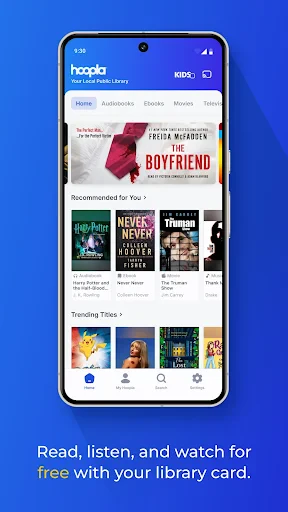
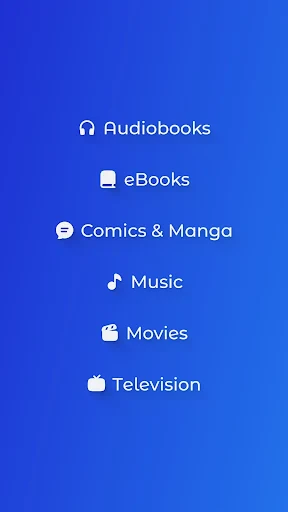
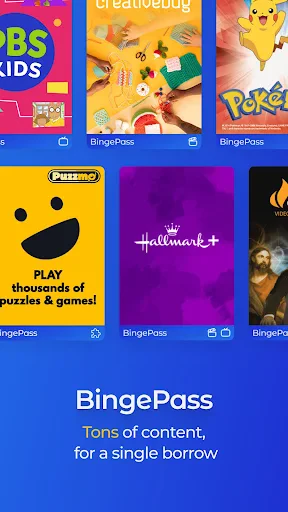
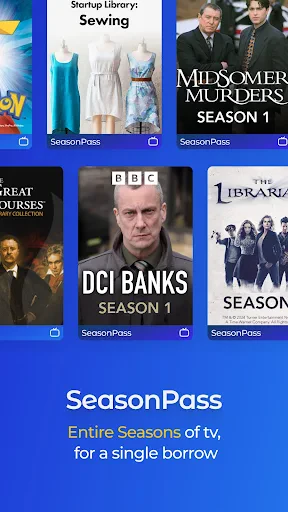
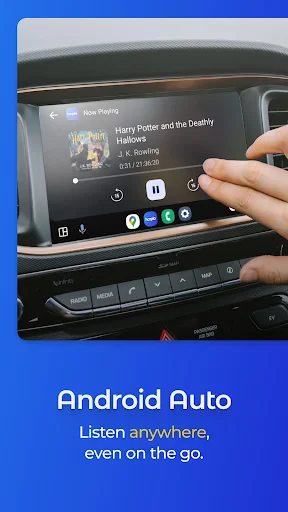
Discover Endless Entertainment with Hoopla Digital
Are you searching for a single destination for books, movies, and music? Meet Hoopla Digital, your ultimate entertainment companion. After putting this app to the test, I was thoroughly impressed. Here’s a detailed look at my experience.
How to Begin with Hoopla
Getting started is straightforward. Hoopla Digital is available for download on both Android and iOS devices. Upon installation, you simply sign up using your public library card. This partnership with local libraries grants you free, unlimited access to a vast collection of e-books, audiobooks, comics, music, movies, and television. It’s like having an entire library in your pocket, with no physical due dates or late fees.
User-Friendly App Navigation
The app features a clean, intuitive design that makes browsing effortless. The home screen offers personalized recommendations based on your borrowing history, which is incredibly useful. Its powerful search function allows you to filter by media type, streamlining the process when you have something specific in mind.
An Expansive Content Library
Hoopla Digital truly shines with its enormous and varied catalog. From latest releases to timeless classics, it caters to all interests. I particularly enjoyed diving into the extensive comic book collection, which includes major publishers and feels like a treasure trove for fans. Best of all, the integrated e-reader and video player let you enjoy all content seamlessly within the app.
Take Your Media Offline
A standout feature is the ability to download content for offline enjoyment. Planning a trip or facing a spotty internet connection? Just download your selections in advance for uninterrupted entertainment. This capability transformed my daily commute and travel.
Considerations for Users
While Hoopla Digital is an exceptional service, it does come with minor limitations. Your borrowing allowance per month is determined by your local library, which avid consumers might reach quickly. Additionally, title availability can vary depending on your library’s specific subscriptions. However, these are small considerations for such a valuable, free resource.
In summary, Hoopla Digital is a must-try app for anyone looking to expand their media horizons without expanding their budget. It’s intuitive, content-rich, and completely free with a library card. If you haven’t yet, give Hoopla Digital a try—your next favorite book, album, or film is waiting.
Pros
- Extensive library of ebooks and audiobooks.
- No waitlist for borrowing digital items.
- Supports offline access to content.
- User-friendly interface and easy navigation.
- Free access with a library card.
Cons
- Limited availability outside the US.
- Requires a library card for access.
- Some titles may have borrowing limits.
- Occasional app performance issues.
- Content availability varies by library.
Frequently Asked Questions
What is hoopla Digital and what does it offer?
hoopla Digital is a media streaming platform that allows users to borrow a wide range of digital content, including eBooks, audiobooks, comics, music, movies, and TV shows. The service is available through participating libraries, providing users with free access to thousands of titles across different genres and formats. Users can enjoy content on their smartphones, tablets, or computers, making it a versatile option for digital entertainment.
How do I access content on hoopla Digital?
To access content on hoopla Digital, users must have a valid library card from a participating library. Once you have your library card, you can create a free hoopla account and start borrowing digital content immediately. The platform is user-friendly, with a simple borrowing process that allows you to stream or download titles to enjoy offline. This flexibility makes it convenient to consume content any time, anywhere.
Are there any borrowing limits on hoopla Digital?
Yes, hoopla Digital typically has borrowing limits set by your local library. These limits depend on the library's policies and can vary, but generally, users are allowed to borrow a certain number of titles per month. It's essential to check with your library for specific borrowing rules, as exceeding these limits will prevent you from borrowing more titles until the following month.
Is hoopla Digital available on all devices?
hoopla Digital is available on a wide range of devices, including iOS and Android smartphones and tablets, Kindle Fire tablets, and computers via web browsers. The app is also compatible with smart TVs and streaming devices like Apple TV, Android TV, and Roku. This multi-platform support ensures that users can access their favorite content regardless of the device they prefer to use, providing a seamless entertainment experience.
Can I access hoopla Digital offline?
Yes, hoopla Digital allows users to download content for offline access. This feature is particularly useful for those who want to enjoy their borrowed titles without an active internet connection, such as during travel or in areas with limited connectivity. However, to download content, you need to use the hoopla app on a compatible mobile device. This ensures that you can enjoy your digital library even when offline.
Technical Info
Recommended For You

Face Shape & Color Analysis

My Bible - Verse+Audio

AR Draw Sketch & Paint

dēzl™

My crochet designer

FedEx Mobile

Daily Bible - KJV Holy Bible

King James Bible (KJV)

KeyConnect Digital Car Key

Public Storage

Christmas Wallpaper

Life Bible
N5_Theme for Car Launcher app
CarGurus: Used & New Cars

Cortes de Pelo Hombre 2024

Translateasy Lingual Assistant

Passio GO!

Shell: Fuel, Charge & More

ArtRage Vitae Mobile Painting

AR Drawing: Sketch, Art, Trace

Hwahae(Korea’s Beauty APP)
OpenDocument Reader Pro

Find a Grave