Amazon Seller
Business · Amazon Seller App Manage Sales Track Growth
Screenshots
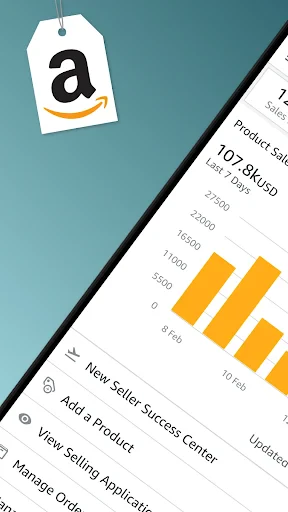
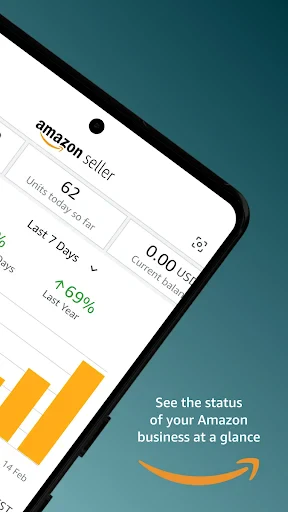
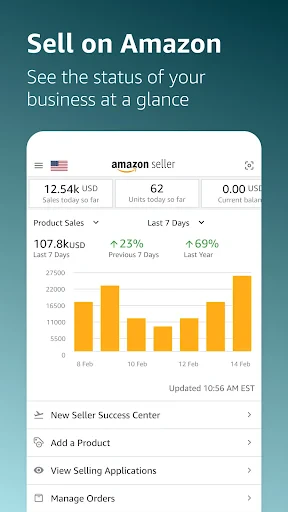


The Essential Tool for Amazon Sellers
Explore the Amazon Seller app, designed to be the ultimate partner for your online commerce journey. This application promises comprehensive management of your inventory and sales orders. But how well does it fulfill this commitment? We will examine its capabilities in detail.
Streamlined Business Onboarding
Initial setup is remarkably straightforward. After downloading the app and authenticating with your Amazon account, you can begin immediately. The intuitive navigation is particularly commendable, offering a user-friendly experience even for those less comfortable with technology. Guided setup procedures provide clarity, enabling you to list products for sale with minimal effort.
Indispensable Management Features
The integrated barcode scanner stands out as a revolutionary tool, allowing for instantaneous product addition to your catalog by simply scanning a code. This functionality conserves significant time, especially for sellers with extensive inventories. Furthermore, the app delivers real-time notifications for new orders, ensuring you maintain constant awareness of your store's activity.
Equally valuable is the dynamic pricing tool. This feature empowers you to adjust product prices in response to market fluctuations, maintaining your competitive edge. It proves particularly advantageous in volatile markets where prices frequently change.
Complete Mobile Business Management
The core advantage of the Amazon Seller app is its capacity to put your entire business operation on your mobile device. Whether you are at home, traveling, or elsewhere, your store is accessible from your pocket. Support for multiple currencies and languages makes it a versatile solution for international sellers.
The integrated customer messaging system is another critical asset, enabling prompt responses to buyer inquiries—a key factor in preserving strong seller performance metrics. The app also provides insightful sales data and customer feedback, offering the analytics needed to make informed decisions that drive business growth.
Final Assessment
In conclusion, the Amazon Seller app is a robust platform for anyone engaged in selling on Amazon. Its user-friendly design, combined with a powerful suite of features, simplifies and enhances online store management. While it may not replicate every function of the desktop seller portal, it serves as an excellent mobile companion for on-the-go oversight.
Whether you are a seasoned merchant or launching your first digital storefront, this application delivers substantial utility. Amazon has clearly dedicated effort to crafting a consolidated toolkit for sellers. For those seeking to optimize their selling workflow, this app is undoubtedly worthy of consideration. We wish you success in your selling endeavors.
Pros
- Easy inventory management
- Efficient sales tracking
- User-friendly interface
- Useful for small businesses
- Effective customer communication
Cons
- Limited customization options
- Occasional app crashes
- Requires stable internet
- Limited support for new users
- Fees can be high
Frequently Asked Questions
What is Amazon Seller and who is it for?
Amazon Seller is an app designed for individuals and businesses who want to sell their products on the Amazon marketplace. It offers a platform to manage your online business, track inventory, handle orders, and communicate with customers. Whether you're an individual seller or a large business, this app provides tools to optimize your selling experience on Amazon.
How do I manage my inventory using the Amazon Seller app?
The Amazon Seller app allows you to easily manage your inventory by updating product information, tracking stock levels, and setting pricing strategies. You can scan barcodes to add products, edit listings, and monitor inventory in real-time, ensuring you never run out of stock and can meet customer demands efficiently.
Can I handle customer orders and communication through the app?
Yes, the Amazon Seller app provides features to manage customer orders and communication effectively. You can view order details, confirm shipments, and respond to customer inquiries directly from the app. It ensures you maintain a high level of customer service, addressing buyers' questions and concerns promptly to enhance their shopping experience.
What analytics and insights does Amazon Seller offer?
Amazon Seller offers comprehensive analytics and insights to help you optimize your business performance. The app provides sales reports, traffic data, and performance metrics, enabling you to make informed decisions. These insights help identify trends, understand customer behavior, and adjust your strategies to maximize profitability and growth on the platform.
Is the Amazon Seller app free to use, and are there any additional costs?
The Amazon Seller app itself is free to download and use. However, selling on Amazon involves certain fees, such as referral fees, subscription fees for professional accounts, and other potential charges related to advertising and fulfillment services. It's important to understand these costs to manage your budget effectively while using the platform.
Technical Info
Recommended For You

Invoice Maker & Estimate Maker

Hush: Android Auto Audio Fix

Infinite Design

Vaporwave PRO Wallpapers

Forex Trading for Beginners

SketchPad - Doodle On The Go

Hyundai Digital Key

Logo Maker : Logo Creator

PSA | Card Grading Service

Driving Instructor-Theory Test

Audiobooks.com: Books & More

Beauty Camera - Selfie Camera

Power Apps

АЗС Татнефть

O’Reilly First Call VIN Scan

RepairSolutions2

aesthetic background

Xcel Energy

SAP Concur

Holy Bible King James + Audio

طاقچه؛ کتاب الکترونیکی و صوتی

OBD2 Car Scanner - ELM Torque

Boat AI Browser: Web & Tools