
Cooking Fever: Restaurant Game
Arcade · Cooking Fever Restaurant Game Cook Serve Thrive
Screenshots
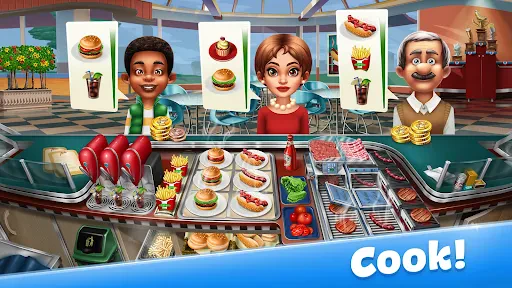
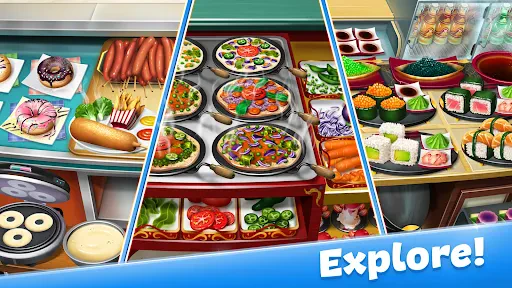
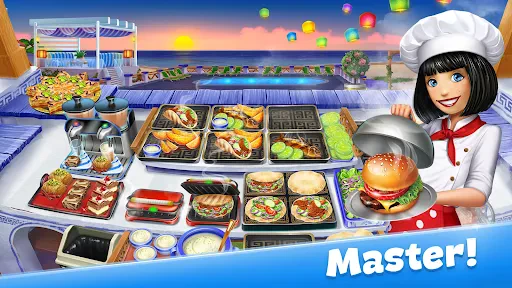
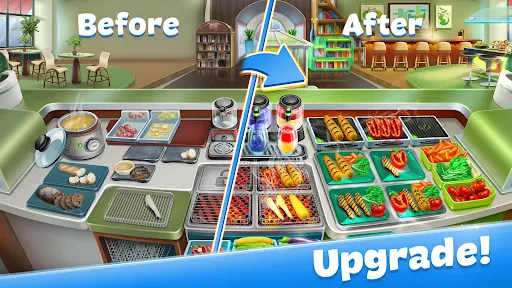
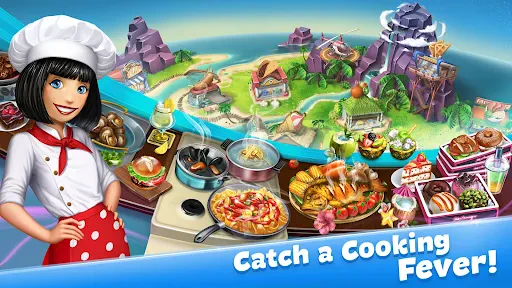
If you enjoy cooking games, you're likely searching for one that delivers culinary fun without any real-world mess. Cooking Fever: Restaurant Game is exactly that—a charming app that has earned a permanent spot on my device. Here’s a look at what makes it so engaging.
Vibrant Visuals and Growing Empire
Your initial impression of Cooking Fever will be its lively, colorful graphics, which make every meal appear incredibly appetizing. Beginning with a modest diner, you expand your operations into a full-scale restaurant network. The game spans numerous culinary styles, from casual snacks to gourmet meals, ensuring constant variety.
Fast-Paced and Strategic Management
The core gameplay is exciting and demanding. Progressing through levels accelerates and complicates orders, testing your reflexes and planning. Excelling at time management is crucial to satisfy patrons and maximize your earnings. That feeling of delivering an ideal order at the last second is truly exhilarating.
A standout aspect is upgrading kitchen equipment and decor. This introduces strategic depth, as you weigh investing in better appliances against aesthetic improvements to draw larger crowds. Every decision impacts your success.
An Extensive Menu of Global Cuisines
A great cooking game needs dish diversity, and Cooking Fever delivers abundantly. Beyond burgers and fries, you prepare sushi, artisan pizzas, and specialty coffees. Each location features its own distinct menu, preventing any sense of repetition.
The experience stays fresh with frequent updates and additional levels. Just as you perfect one restaurant, a new culinary challenge arrives. This constant evolution is key to the game’s lasting appeal.
Overall Impression
Ultimately, Cooking Fever: Restaurant Game is a joyful blend of hectic service and kitchen creativity. It's ideal for quick, engaging play sessions. Both expert and novice players will discover plenty to enjoy. Ready to put on a virtual apron and start your tasty journey? Give Cooking Fever a download—but be prepared to work up an appetite!
Pros
- Engaging gameplay with a variety of restaurants
- Easy to learn controls
- suitable for all ages
- Regular updates with new levels and features
- Offline mode available for uninterrupted play
Cons
- In-app purchases can be expensive over time
- Repetitive tasks may become monotonous
- Limited customization options for restaurants
- Requires internet connection for some features
- Ads can be intrusive during gameplay
Frequently Asked Questions
What is Cooking Fever: Restaurant Game about?
Cooking Fever: Restaurant Game is a highly engaging time-management game where players can practice their culinary skills by preparing dishes from various global cuisines. The game involves managing a range of restaurants, from fast food joints to upscale dining establishments, and requires players to cook, serve, and satisfy customers to progress and unlock new levels and recipes.
Can Cooking Fever: Restaurant Game be played offline?
Cooking Fever: Restaurant Game requires an internet connection for some features, such as saving your progress via cloud and accessing certain in-game events or updates. However, the main gameplay, including cooking and serving in restaurants, can be enjoyed offline, making it a flexible option for gaming on the go without constant connectivity.
Are there in-app purchases in Cooking Fever: Restaurant Game?
Yes, Cooking Fever includes in-app purchases. While the game is free to download and play, players have the option to buy in-game currency and other items to enhance their gaming experience. These purchases can speed up progress or unlock exclusive items, but they are not necessary to enjoy the game fully, as progress can still be made through regular play.
How can I save my progress in Cooking Fever: Restaurant Game?
To save your progress in Cooking Fever, you need to connect the game to a social media account like Facebook. This allows you to back up your game data to the cloud, ensuring that you can restore your progress if you switch devices or reinstall the game. It's a handy feature for players who want to maintain their achievements across different devices.
What type of device is best for playing Cooking Fever: Restaurant Game?
Cooking Fever is available on both Android and iOS devices, and it runs smoothly on a wide range of smartphones and tablets. For the best experience, ensure your device meets the recommended specifications, which usually include having an updated operating system and adequate RAM. This will help in avoiding any lag or crashes during gameplay, ensuring a seamless gaming experience.
Technical Info
Recommended For You

Food Run - Crowd Control Game

Vector Classic

YAHTZEE With Buddies Dice Game

Bingo Frenzy™-Live Bingo Games

Cosmo Run

Geometry Dash Lite

Tattoo Coloring games

Fantasy Color-Paint By Number

Web Master: Stickman Superhero

Crazy Kick! Fun Football game

Solitaire Classic

NARUTO: Ultimate Ninja STORM

Galactica

60 Seconds! Atomic Adventure

Spades Solitaire - Card Games

Draw Block Gladiator

Mega Hit Poker: Texas Holdem

Merge Archers: Bow and Arrow

Solitaire Classic Card

Zombie Tsunami

Tilescapes Match - Puzzle Game

Jumanji: Epic Run

Spider Solitaire: Card Games
