John GBA
Arcade · John GBA Classic Game Boy Advance Emulator For Retro Gamers
Screenshots
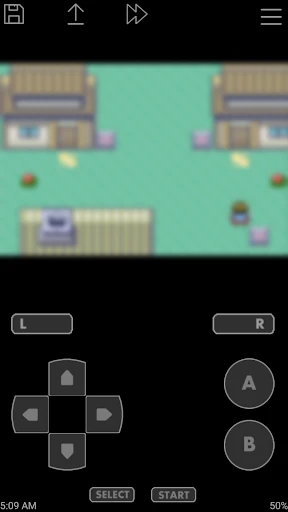
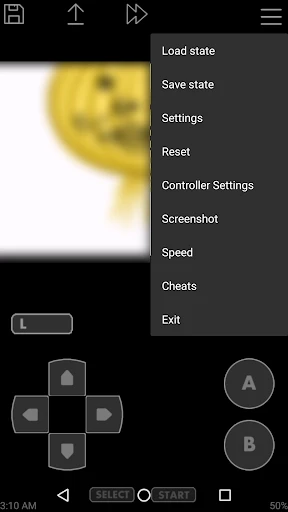
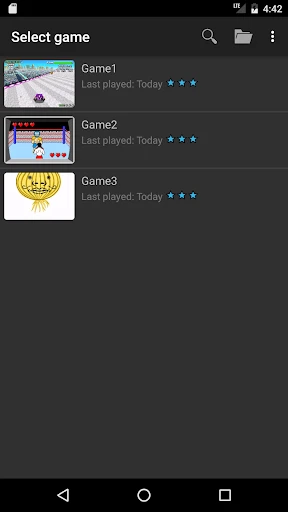
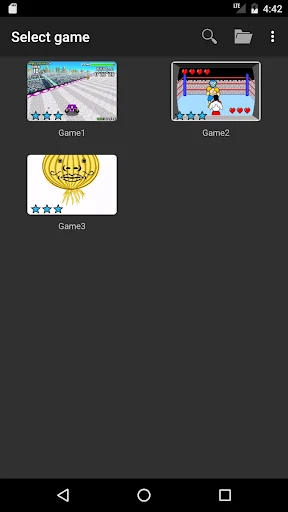
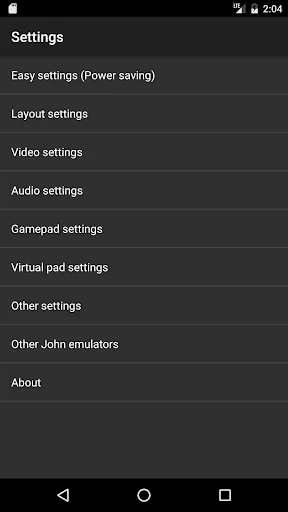
Relive Classic Adventures with John GBA
Step into a portal of nostalgia with John GBA, the emulator that transports the complete Game Boy Advance library directly to your mobile device. For anyone who cherishes memories of classic handheld gaming, discovering this application is akin to unearthing a treasured relic, offering a direct line back to those beloved pixelated worlds.
Authentic Retro Gaming in Your Pocket
This application serves as a perfect digital recreation of the early 2000s handheld experience. It delivers precise emulation of GBA titles, faithfully preserving the original visual style, audio, and gameplay mechanics. Whether your passion is for epic Pokémon journeys or heroic quests in Zelda, your favorite games are ready to play with a simple tap. The clean, intuitive interface allows for effortless browsing and launching of your personal ROM collection.
Features Designed for the Modern Player
John GBA enhances the classic experience with modern conveniences like save and load states, a crucial tool for conquering tough challenges or bypassing repetitive sections. The fully customizable on-screen control layout lets you tailor the button placement for optimal comfort on a touchscreen. For a more traditional feel, the emulator also includes seamless support for Bluetooth controllers.
Additional Tools to Enhance Your Playthrough
Beyond core emulation, the app provides a turbo function to fast-forward through games, ideal for streamlining RPG level-grinding. Its built-in support for cheat codes also invites players to modify and experiment with their games in new and entertaining ways.
Smooth and Uninterrupted Gameplay
The emulator promises a fluid performance across a wide range of devices and operates entirely offline, making it an ideal companion for travel. While a free version is available with minimal advertising, a premium upgrade removes ads completely for an uninterrupted, immersive session.
A Note on Game Availability
It is important to note that John GBA does not include any game files itself. Users must supply their own legally acquired ROMs. While sourcing games is an initial step, the process is straightforward and leads to a vast, personalized gaming library.
The Premier GBA Experience on Android
As interest in retro gaming continues to surge, John GBA establishes itself as a dependable and highly accessible emulator for the Android platform. It is an exceptional solution for reconnecting with childhood classics or exploring historic titles for the first time. Prepare your game collection and dive into timeless adventures that are guaranteed to rekindle those classic gaming joys.
Pros
- Accurate GBA emulation for authentic gameplay.
- Supports compressed game files for storage efficiency.
- Customizable controls for personalized experience.
- Fast forward option to speed up gameplay.
- Save and load states for game progress flexibility.
Cons
- Free version includes ads interrupting gameplay.
- Limited support for certain rare GBA titles.
- No multiplayer support for link cable games.
- Occasional frame rate drops on older devices.
- Requires manual ROM sourcing
Frequently Asked Questions
What is John GBA and what are its main features?
John GBA is a Game Boy Advance emulator for Android that allows users to play GBA games on their mobile devices. It features a user-friendly interface, customizable controls, support for game saves, and cheat code functionality. The app also supports hardware controllers and fast forward mode for an enhanced gaming experience.
How do I install and set up John GBA on my device?
To install John GBA, download it from the Google Play Store and follow the installation instructions. Once installed, you can load GBA ROMs from your device storage. Set up the controls by accessing the settings menu, where you can customize buttons and adjust emulator settings for optimal performance.
Is John GBA free to use, or does it require any purchases?
John GBA offers a free version with basic features, but it also has a paid Pro version. The Pro version offers additional features such as no ads, improved performance, and more customization options. Users can decide based on their needs whether to use the free version or upgrade to the Pro version.
Can I use external controllers with John GBA for a better gaming experience?
Yes, John GBA supports external controllers, allowing users to connect Bluetooth or USB gamepads for a more authentic gaming experience. To use a controller, simply connect it to your device, and John GBA will recognize it automatically. You can customize button mapping in the settings menu.
What file formats does John GBA support for game ROMs?
John GBA supports various file formats for game ROMs, including .gba, .zip, and .7z. Users can store these files on their device's internal storage or external SD card. It's important to ensure that you legally own the games you intend to play, as downloading ROMs without permission may violate copyright laws.
Technical Info
Recommended For You

Pixel Coloring-Color by number

Spades Plus - Card Game

Classic Solitaire

Perfect Cream: Cake Games

Solitaire - Classic Card Games

MONOPOLY Solitaire: Card Games

Truck Sprint 3D-Swing Racing

Solitaire Classic – Klondike

Weapon Master: Action Gun Game

My Boy! - GBA Emulator

Color Up - Color By Number

Mahjong Solitaire Classic Game

Christmas Santa Family Color

War Sniper: FPS Shooting Game

Old School RuneScape

Minecraft: Play with Friends

Obby Block World: Lava Fall

Animal coloring pages

Harry Potter: Hogwarts Mystery

Family Life

Zombie Hunt: Apocalypse Games

MONOPOLY GO!

FPS Strike Ops : Modern Arena