John GBC
Arcade · John GBC Game Boy Color Emulator Play Classic Games
Screenshots

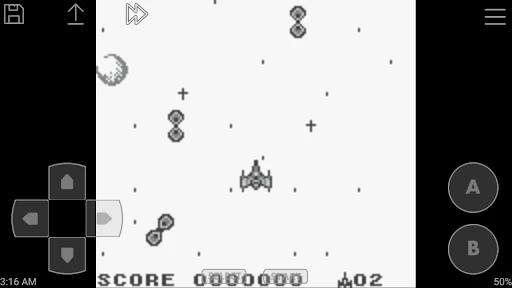
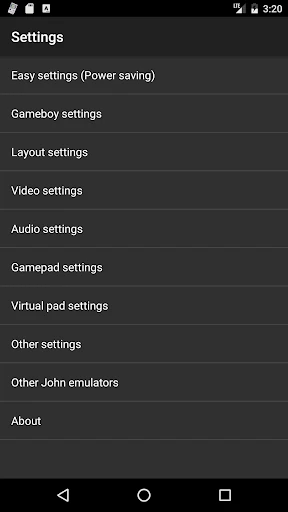

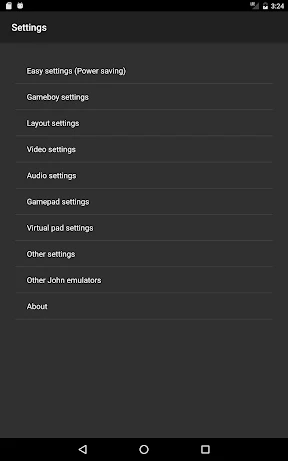
Relive Classic Gaming with John GBC
Calling all retro gaming enthusiasts! Have you ever wanted to revisit the iconic titles from the Game Boy Color era? Discover John GBC, a premium emulator that seamlessly delivers your classic game library to your Android device. After extensive testing, I'm eager to explain why this application stands out as an exceptional choice.
Setup and Interface: Effortless and Intuitive
Installing and configuring John GBC is remarkably straightforward. A quick download from the Play Store leads to a hassle-free setup process. The interface is clean and intuitive, ideal for users of all technical levels. Simply load your game ROMs, and you are ready to play. It supports an extensive catalog of Game Boy Color software, ensuring your personal favorites are almost certainly compatible.
A significant advantage is the fully customizable control scheme. You can tailor the on-screen layout to your preference, eliminating the frustration of awkward controls during a critical Pokémon battle or a challenging level in a classic platformer.
Gameplay Experience: Flawless and Authentic
In terms of performance, John GBC operates with impressive smoothness, free from lag or graphical glitches. The emulation preserves the authentic visual style of the original hardware, effectively transforming your device into a portable window to the past.
The audio reproduction is equally precise, capturing the distinctive chiptune melodies and sound effects that define these classics. Features like save states and cheat code support are invaluable, providing a lifeline during notoriously difficult game segments.
Key Advantages and Features
What sets John GBC apart from other emulators? Its primary strength is unwavering reliability. Unlike alternatives prone to crashes or instability, this app provides a consistently solid and hassle-free experience.
Furthermore, John GBC offers compatibility with external Bluetooth controllers. For players who prefer tactile buttons over touchscreen inputs, this integration adds a layer of comfort and precision, significantly enhancing the overall experience.
Final Verdict
In conclusion, John GBC is the definitive solution for authentic Game Boy Color emulation on Android. It combines dependable performance, a user-friendly design, and genuine nostalgic appeal. Whether you are a seasoned retro gamer or rediscovering childhood classics, this app is a superb selection.
Gather your ROMs, launch John GBC, and prepare for a powerful surge of nostalgia. It is a decision you won't regret.
Pros
- Supports cheat codes for enhanced gameplay.
- Smooth performance with minimal lag.
- Customizable controls for user preference.
- Supports external controllers and keyboards.
- Saves and loads game states efficiently.
Cons
- Ads can be intrusive during gameplay.
- Limited game library compared to other emulators.
- Occasional crashes on older devices.
- Some games experience audio glitches.
- Initial setup can be confusing for new users.
Frequently Asked Questions
What is John GBC and what platforms is it available on?
John GBC is a popular Game Boy Color emulator for Android devices. It allows users to play their favorite Game Boy Color games directly on their smartphones or tablets. The app is currently available on the Google Play Store for Android users, providing a seamless gaming experience with high compatibility and support for most games.
Does John GBC support save states and cheats?
Yes, John GBC supports save states, which allow you to save your game progress at any point and reload it later. This feature is particularly useful for challenging games where progress can be easily lost. Additionally, the emulator supports cheat codes, enabling users to enhance their gaming experience by unlocking special features or bypassing difficult levels.
Is John GBC free to use, or does it require a purchase?
John GBC offers both a free version with limited features and a paid version known as John GBC Pro. The Pro version provides an ad-free experience along with additional features such as faster game speed and enhanced graphics. Users can choose to start with the free version and upgrade to the Pro version if they desire more advanced functionalities.
What file formats does John GBC support for game ROMs?
John GBC supports a variety of file formats for game ROMs, including .gbc, .gb, and .zip files. This flexibility allows users to easily load their favorite Game Boy and Game Boy Color games into the emulator. It is important to note that users need to have legal copies of the games they wish to play, as ROMs are not provided with the emulator.
How can I configure the controls and settings in John GBC?
John GBC offers customizable controls, allowing users to configure the on-screen buttons to their liking. The emulator also provides various settings options, including video filters, sound settings, and game speed adjustments. These customization features ensure that users can tailor their gaming experience to suit their preferences for both performance and aesthetics.
Technical Info
Recommended For You

Count Masters: Stickman Games

Domino - Dominos online game

Dinosaur Universe

CookieRun: Tower of Adventures

Prison Break: Stick Story

Layer Man 3D: Run & Collect

TDS - Tower Destiny Survive

Spades - Card Game

NumMatch: Logic Puzzle

Crazy Kick! Fun Football game

Anime Cosplay Coloring Pages

STAR: Super Tricky Amazing Run

Apex Legends

Number Master: Run and merge

One State RP - Role Play Life

MONOPOLY

Spades: Classic Card Games

Magic: The Gathering Arena

Among Us

Geometry Dash Meltdown

Sniper Destiny: Lone Wolf

Gym Heros: Fighting Game

Solitaire Pro