
MD.emu (Genesis Emulator)
Arcade · MDemu Play Sega Genesis Games Anywhere
Screenshots
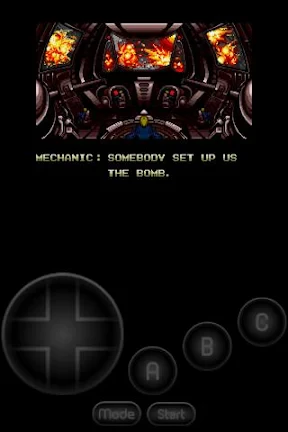

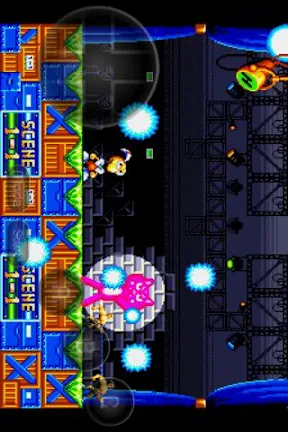

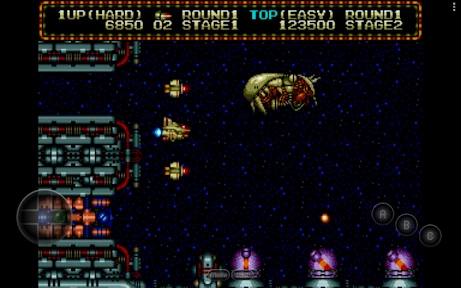
Rediscovering 16-Bit Glory with MD.emu
For gamers seeking a portal to the 16-bit era, MD.emu delivers, faithfully recreating the Sega Genesis experience on Android and iOS. This emulator invites you to reunite with iconic characters from Sonic to Streets of Rage. But does it truly capture the essence of those classic titles? Let's explore.
Installation and Initial Setup
Getting started with MD.emu is remarkably simple. After installation from your device's app store, its clean interface guides you smoothly through the process. You will need to provide your own legally-owned game ROMs. The focus on ease of use means you can transition from setup to gameplay with minimal delay.
Performance and Gameplay Fidelity
Where it counts most, MD.emu excels. Compatibility is broad, covering a vast library of Genesis/Mega Drive games, and performance is consistently fluid. Testing titles like "Sonic the Hedgehog 3" reveals precise emulation with no noticeable lag. The audio reproduction is equally accurate, completing the authentic retro atmosphere.
The experience is further elevated by support for external hardware controllers. Pairing a Bluetooth controller transforms your mobile device, offering the tactile feedback and precision that these classic games were designed for.
Interface and Enhanced Features
MD.emu employs a clean, intuitive interface that avoids clutter while providing depth. For enthusiasts who wish to customize, robust settings allow fine-tuning of video and audio output. The essential save state and load state functions are included, providing a welcome aid for challenging sections.
A particularly engaging tool is the integrated cheat code support. This feature allows for playful experimentation or simply easing through a difficult game, adding another layer of enjoyment to your replay.
Final Verdict
Ultimately, MD.emu stands as a top-tier option for revisiting Genesis classics on modern hardware. It combines accessible design with powerful, accurate emulation and thoughtful features. Whether you're a seasoned retro gamer or a curious newcomer, MD.emu is a compelling gateway to gaming's past. Prepare your ROMs, connect a controller, and enjoy a seamless trip back to the 1990s.
Pros
- Supports various Genesis/Mega Drive ROM formats.
- Smooth gaming experience with minimal lag.
- Customizable on-screen controls.
- High compatibility with game controllers.
- Frequent updates and bug fixes.
Cons
- Limited to Genesis/Mega Drive games only.
- Requires ROMs to be provided by user.
- No built-in game-saving feature.
- Occasional audio glitches reported.
- Interface may seem dated to new users.
Frequently Asked Questions
What platforms is MD.emu compatible with?
MD.emu is a versatile Genesis emulator that is compatible with both Android and iOS devices. This allows users to enjoy classic Sega Genesis games on their smartphones or tablets, providing a seamless gaming experience across various mobile platforms.
Does MD.emu support save states and game syncing?
Yes, MD.emu supports save states, allowing users to save and load their game progress at any point. Additionally, it offers game syncing features, enabling users to sync their progress across multiple devices, ensuring a consistent gaming experience no matter where you play.
What types of games can I play on MD.emu?
MD.emu primarily supports Sega Genesis games, allowing you to play a wide range of classic titles from this popular console. It also supports Sega CD and Master System games, expanding your gaming library and giving you access to a diverse array of retro games.
Are there any customization options available in MD.emu?
Yes, MD.emu provides a variety of customization options to enhance your gaming experience. Users can adjust video and audio settings, remap controls, and choose from different screen layouts. These features allow for a tailored gameplay experience suited to individual preferences.
What are the hardware requirements for running MD.emu?
To run MD.emu smoothly, your device should meet certain hardware requirements. On Android, a device with at least a 1GHz processor and 512MB RAM is recommended. For iOS, a device running iOS 8.0 or later is needed. Meeting these specifications ensures optimal performance and gameplay quality.
Technical Info
Recommended For You

Tower War - Tactical Conquest

June's Journey: Hidden Objects

Nostal Solitaire: Card Games

Gangster Game Grand Mafia City

Manor Matters

ePSXe for Android

slither.io

Tap Color Pro: Color By Number

Number Master: Run and merge

Poppy Playtime Chapter 1

Woodber - Classic Number Game

ChargeFist: Punch Action!

Daddy Long Legs

Grand Theft Auto: San Andreas

Obby Prison Escape from Barry

Blackjack 21: Blackjackist

Crazy Office — Slap & Smash

Pirates Outlaws

Catan Classic

Zombie Waves

Reigns

Meme Color Pro:Color by Number

Obby Block World: Lava Fall