
ReShot : AI Photo Generator
Art & Design · AI Photo Generator Create Artistic Images For Everyone
Screenshots


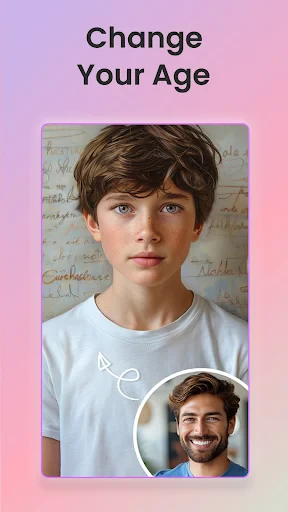

ReShot: AI Photo Generator
Imagine a magic tool that transforms your ordinary snapshots into stunning works of art. Meet ReShot: AI Photo Generator, your personal digital artist. This app leverages intelligent technology to convert your daily photos into something truly exceptional.
Exploring the ReShot App
In essence, ReShot is a powerful application designed to revolutionize your photo editing. With minimal effort, its artificial intelligence crafts distinctive, artistic interpretations of your images. Envision converting a vacation snapshot into a vibrant watercolor or rendering your pet's portrait as a classical oil painting. The possibilities are both impressive and inspiring.
Starting Your Creative Process
Embarking on your journey with ReShot is straightforward. After downloading the app, you are greeted by an intuitive and user-friendly interface. The design ensures ease of use for everyone, regardless of technical skill, guiding you seamlessly through all its innovative features.
Standout Features and Capabilities
ReShot distinguishes itself with an extensive library of artistic styles. Choose from filters that emulate iconic art movements, from Van Gogh's swirls to Picasso's abstractions, ensuring your photos are not merely adjusted but wholly reimagined. The AI-driven process guarantees each result is unique, imbuing every creation with a personal touch.
The app further excels with its batch editing functionality. Need to transform an entire album? ReShot can process multiple images simultaneously, saving significant time and effort. It is, effectively, a portable art studio at your fingertips.
Highlights of the User Experience
What stands out is how ReShot ignites creativity. It moves beyond simple photo correction into the realm of artistic exploration. Experimenting with diverse styles is engaging and enjoyable. Sharing these creations on social media is particularly satisfying, thanks to the app's seamless integration with various platforms, making it simple to showcase your newfound artistry.
Concluding Insights on ReShot
In an era where photography is ubiquitous, adding a unique artistic dimension can make your images stand out. ReShot: AI Photo Generator provides the perfect pathway to elevate mundane moments into captivating art. Whether you are a seasoned creative or a casual photography enthusiast, this app offers valuable tools for expression.
If you are prepared to unleash your creative potential, give ReShot a try. Your photo gallery will undoubtedly be enriched by the experience.
Pros
- Generates high-quality images quickly.
- User-friendly interface for easy use.
- Offers a variety of styles and filters.
- Regular updates with new features.
- Low resource consumption on devices.
Cons
- Limited free version capabilities.
- Occasional glitches on older devices.
- Requires stable internet connection.
- Subscription model for premium features.
- Limited customer support options.
Frequently Asked Questions
What is ReShot: AI Photo Generator?
ReShot: AI Photo Generator is an innovative app that uses artificial intelligence to transform your photos into stunning works of art. By utilizing advanced AI algorithms, it enhances images with unique styles and effects, providing users with a creative and fun way to manipulate their photos.
How does ReShot: AI Photo Generator work?
ReShot operates by applying sophisticated AI algorithms to your images. Once you upload a photo, the app processes it through various filters and effects, transforming it into a visually appealing piece. Users can choose from multiple styles and adjustments to customize their images to their liking.
Is ReShot: AI Photo Generator free to use?
ReShot offers a free version with basic features and limited styles. However, to access the full suite of tools and a wider range of effects, users may need to make in-app purchases or subscribe to a premium plan. This allows for more extensive customization and higher quality outputs.
What platforms are supported by ReShot: AI Photo Generator?
ReShot: AI Photo Generator is available for both Android and iOS devices. Users can download it from the Google Play Store for Android devices and the Apple App Store for iOS devices, ensuring a wide range of accessibility across different smartphones and tablets.
Does ReShot: AI Photo Generator require an internet connection?
Yes, ReShot requires an active internet connection to function properly. This is because the app processes images using cloud-based AI algorithms, which necessitates data transfer between your device and the app's servers. A stable internet connection ensures smooth operation and quick processing times.
Technical Info
Recommended For You

TruckSmarter Load Board & Fuel

Fragrantica Perfumes

Receipt Scanner: Easy Expense

Shell: Fuel, Charge & More

Everand: Ebooks and audiobooks

Color Analysis - Dressika

Holy Bible King James + Audio

Dayforce

Freepik: Design & edit with AI

OBD Scanner ELM327: GaragePro

Mirror Plus - HD Mirror app

dēzl™

UKG Ready

Bible For Women-Holy Bible App

mobile.de - car market

X Launcher Pro

EVgo - Fast EV Charging

Photo App - AI Photo Enhancer

ArtistAI: AI Photo Generator

Autolink

CosmoProf Beauty

AR Draw Sketch & Paint

Logo Master - Design & Maker