Papercopy - Tracer
Art & Design · Papercopy Tracer Scan Edit Share Documents
Screenshots


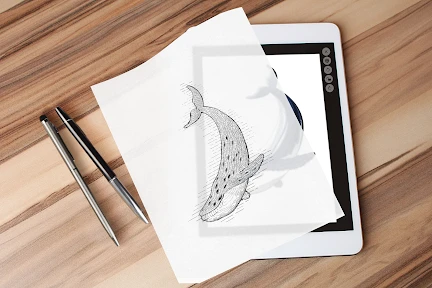

Overcome Creative Blocks with a Digital Lightbox
Struggling to visualize your ideas? Papercopy - Tracer transforms your device into a portable lightbox and tracing paper suite, providing the perfect tools to sketch and develop your concepts from anywhere.
An Intuitive Start for Every Skill Level
Initial doubts about digital tracing fade quickly with this app. Its streamlined, user-friendly interface ensures a smooth start for all. Begin by capturing an image of your source material, then instantly adjust its visibility to start your trace.
Precision Tools for Flawless Tracing
The key to accuracy lies in the adjustable transparency slider, allowing meticulous control for both intricate and simple designs. An optional grid overlay further aids in maintaining perfect proportions and alignment in your work.
Export and Layer to Expand Possibilities
Your finished traces can be easily exported in various formats or shared directly. The addition of layering functionality unlocks advanced creative potential, letting you combine images and build complex compositions seamlessly.
A Versatile Tool for Artists and Enthusiasts
Papercopy - Tracer successfully blends advanced features with approachable design, making it an essential download for professional creators and casual hobbyists seeking a reliable digital tracing companion.
Unlock Your Creative Potential
More than a simple utility, Papercopy - Tracer is a catalyst for creativity. Explore its features—it may well provide the inspiration and capability to launch your next artistic project.
Pros
- User-friendly interface
- easy to navigate.
- Wide range of paper sizes and styles.
- High-quality tracing accuracy.
- Includes multiple tracing tools.
Cons
- Limited free version features.
- Occasional app crashes reported.
- Ads can be intrusive at times.
- Requires in-app purchases for premium features.
- No offline mode available.
Frequently Asked Questions
What is Papercopy - Tracer and how does it work?
Papercopy - Tracer is an innovative app designed for artists and designers who require precise tracing capabilities. The app allows users to trace images or sketches by overlaying them on digital paper. By using your device's camera, it projects the image onto your drawing surface, making it easier to create accurate copies. It's particularly useful for those who want to improve their drawing skills or need a digital tool to assist with design projects.
Is Papercopy - Tracer suitable for professional use?
Yes, Papercopy - Tracer is suitable for both amateur artists and professional designers. The app offers a range of features that cater to different skill levels, making it a versatile tool for personal and professional projects. Its precise tracing capabilities and user-friendly interface make it an ideal choice for anyone looking to enhance their artistic workflow. Whether you're sketching designs or creating detailed illustrations, this app provides the tools needed for professional-grade results.
Can I use Papercopy - Tracer on both Android and iOS devices?
Papercopy - Tracer is available for download on both Android and iOS platforms. This ensures that users can access the app regardless of their preferred device, offering a consistent experience across different operating systems. The app's compatibility with a wide range of devices makes it accessible to a broad audience, allowing more users to benefit from its tracing capabilities.
Does Papercopy - Tracer require an internet connection to function?
Papercopy - Tracer does not require an internet connection to perform its basic tracing functions. Users can enjoy the app's features offline, making it convenient for use in various settings, such as outdoor sketching or in areas with limited connectivity. However, for initial app download and updates, an internet connection will be necessary.
Are there any in-app purchases or subscriptions in Papercopy - Tracer?
Papercopy - Tracer offers a free version with essential features, but it also includes optional in-app purchases for users who wish to access advanced tools and functionalities. These purchases are designed to enhance the user experience, providing additional options for those who want to maximize the app's capabilities. There is no mandatory subscription, allowing users to decide if the added features are worth the investment.
Technical Info
Recommended For You

Tinker DIY

Smartsheet: Projects & Teams

Battle Royale Chapter5 Season2

Slack

AlphaNovel — Books & Stories

Spark Driver

Tarteel ترتيل - Memorize Quran

Magic Cross Stitch: Pixel Art

Guide For Stardew

Fresha for business

Everand: Ebooks and audiobooks

Oremus - Catholic Bible&Prayer

Garmin Drive™

QuickBooks Online Accounting

Hair Color Changer: Change you

CamCard-Digital business card

One Block for Minecraft Maps

PSWaves Live Wallpapers

Pray Daily - KJV Bible & Verse

ScanBizCards Premium

Uber Eats Orders

GIMP

AI Video - AI Video Generator