
FlipArtify - 2D Draw Animation
Art & Design · FlipArtify Animate Drawings For Everyone
Screenshots


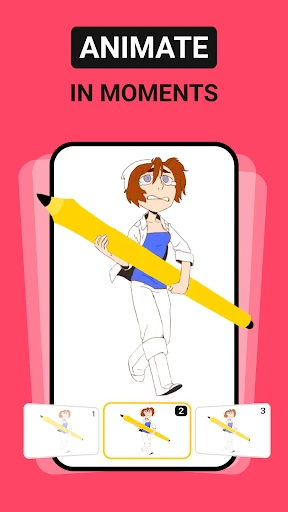


Ever wished you could create your own animations but found professional tools too complex? Meet FlipArtify - 2D Draw Animation, your portable animation studio. It turns the simple joy of doodling into a magical experience where your sketches come alive, right in the palm of your hand.
Getting Started with FlipArtify
From the moment you launch the app, you'll find a clean, intuitive interface designed for creators of all levels. A helpful introductory tutorial walks you through the essentials, making your first project feel approachable and fun. You'll be creating in minutes, even with no prior experience.
The Drawing Experience
FlipArtify offers a rich yet simple set of drawing tools, including multiple brushes, a full color palette, and layer support. The responsive pencil tool is perfect for sketching frames, while the onion skinning feature—which shows a ghost of your previous drawing—ensures smooth and fluid motion. It’s an incredibly engaging and precise way to animate.
The Animation Process
Transforming your drawings into animation is straightforward with a clear timeline for managing frames and controlling playback speed. You can preview your work instantly, bringing characters and scenes to life with movement and personality. Support for up to 24 frames per second delivers surprisingly smooth results for a mobile app.
Sharing Your Creations
Once your animation is complete, sharing it is simple. FlipArtify provides easy export options to save your work as a GIF or video file, ready to post on social media or send directly to friends. It’s a fantastic way to delight others with your personalized animated stories.
Final Thoughts
FlipArtify successfully makes 2D animation accessible and enjoyable for hobbyists and beginners. While it may not replace advanced professional software, it’s a powerful and satisfying tool for casual creation, skill development, and on-the-go projects. It’s an excellent gateway into the world of animation.
Ready to begin? Pick up your stylus or use your finger, download FlipArtify on iOS or Android, and start bringing your imaginative world to life through animation today.
Pros
- Intuitive interface for beginners.
- Wide range of drawing tools.
- Supports frame-by-frame animation.
- Export options are versatile.
- Regular updates and features.
Cons
- Limited advanced features.
- Some tools require in-app purchases.
- Occasional app crashes.
- Lacks tutorial for new users.
- No cloud storage integration.
Frequently Asked Questions
What is FlipArtify - 2D Draw Animation?
FlipArtify is a dynamic application designed for artists and animation enthusiasts who want to create 2D animations effortlessly. The app provides a user-friendly interface with a wide range of tools that cater to both beginners and professionals, allowing users to draw, edit, and animate their creations in a seamless manner.
Is FlipArtify suitable for beginners in animation?
Yes, FlipArtify is tailored for users of all skill levels, including beginners. Its intuitive interface and comprehensive tutorials guide new users through the basics of animation. With easy-to-use drawing tools and pre-set templates, anyone can start creating animations without any prior experience.
What features does FlipArtify offer to enhance animation creativity?
FlipArtify offers a variety of features to boost creativity, including layer-based editing, onion skinning, and a large library of brushes and effects. Users can also add audio to their animations and export their projects in multiple formats, making it a versatile tool for creating professional-grade animations.
Can I use FlipArtify on both Android and iOS devices?
Yes, FlipArtify is available for download on both Android and iOS platforms. This cross-platform availability ensures that users can work on their animations on various devices, providing flexibility and accessibility whether at home or on the go.
Does FlipArtify require an internet connection to function?
No, FlipArtify can be used offline, allowing users to work on their projects without needing an internet connection. However, some features, such as cloud storage and community sharing, require online access to fully utilize these capabilities.
Technical Info
Recommended For You

Madison Reed App - Hair Color

Chevron

Infinite Painter

Bible Daily, KJV Bible + Audio

Gospel Library

Future Self Face Aging Changer

GIMP

MyWalmart

Mirror App - Makeup Mirror

N5_Theme for Car Launcher app

StyleKorean

AR Drawing: Paint & Sketch Art

Picify: AI Art Editor

HD Camera for Android

Flowbird Parking

Stitch Photos: Long Screenshot

clickworker

Bookmory - reading tracker

Barnes & Noble NOOK

All Document Reader:PDF Viewer

Autolist: Used Car Marketplace

Enphase Enlighten

Fuelio: gas log & gas prices
