
AR Draw Sketch: Paint & Trace
Art & Design · Trace Sketch Paint AR Art For All
Screenshots
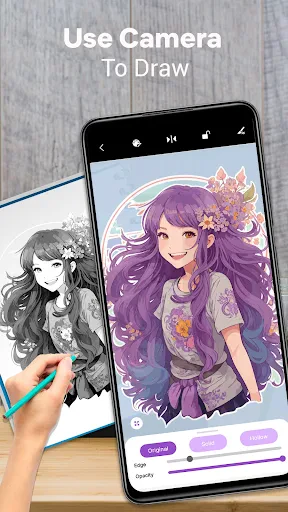
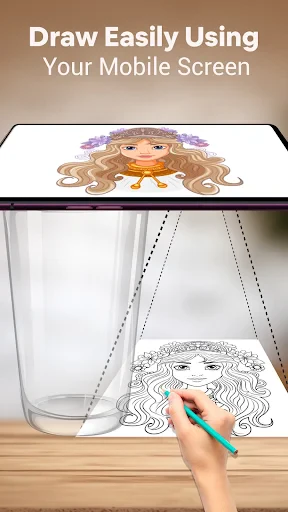
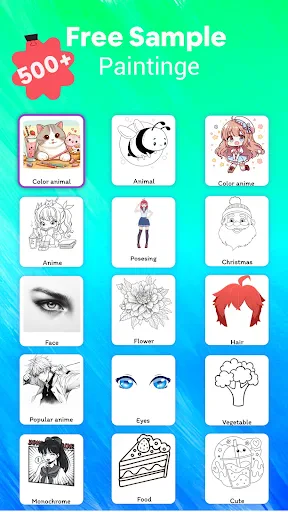
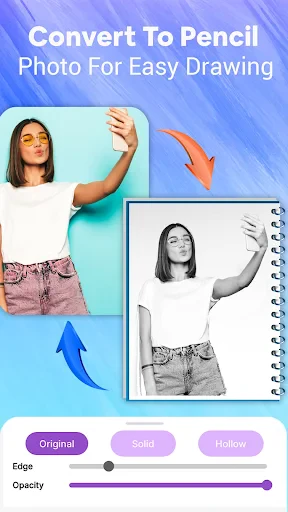
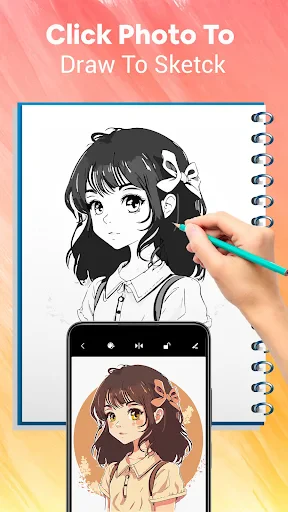
Unlock Your Creative Potential with AR Draw Sketch: Paint & Trace!
Ever wished you could create art like a master, but without the clutter and cleanup? Welcome to AR Draw Sketch: Paint & Trace! This app acts as your personal drawing guide, empowering you to sketch with confidence—whether you're a complete beginner or looking to refine your technique.
What Is AR Draw Sketch: Paint & Trace?
In essence, AR Draw Sketch: Paint & Trace is an innovative augmented reality application that instructs by projection. Select an image, point your device's camera at a sheet of paper, and watch as the outline appears perfectly aligned on your drawing surface. It’s a seamless blend of art and technology, making learning to draw feel like magic.
Your First Masterpiece in Three Simple Steps
Getting started is intuitive and straightforward. Upon launching the app, you’ll encounter a user-friendly interface designed for immediate engagement. Begin by choosing a sketch from the extensive built-in library, which caters to all interests from nature and animals to modern designs. Then, position your phone above your paper, calibrate the AR overlay, and simply trace the guided lines. It’s the ideal practice partner for developing your artistic skills.
The Power of Augmented Reality Drawing
The core augmented reality technology is what sets this app apart. By utilizing your phone’s camera, it superimposes a digital template onto your physical environment. This isn’t merely a novelty; it’s a practical learning aid that provides real-time visual guidance, transforming complex drawings into manageable steps. It’s also a surefire way to impress others with your rapidly improving artwork.
Why You'll Love This App
The greatest strength of AR Draw Sketch: Paint & Trace is its ability to make art accessible and rewarding for all. Beyond simple tracing, it’s a skill-building journey. Each session naturally enhances your understanding of shapes and lines, steadily boosting your confidence and artistic capability.
Pro Tips for Maximizing Your Experience
To achieve the best results, keep these suggestions in mind:
Experiment with Different Canvases: While paper is classic, feel free to try tracing on other surfaces like cardboard or canvas for unique textured effects.
Practice Consistently: Progress comes with regular effort. Dedicate a little time each day to tracing new images and watch your hand-eye coordination flourish.
Explore the Entire Library: Challenge yourself by venturing outside your comfort zone. Tackling diverse images is the key to broadening your creative range.
In conclusion, AR Draw Sketch: Paint & Trace is the perfect solution for anyone eager to explore art in a clean, modern, and guided way. It’s engaging, educational, and a delightful creative outlet. Download the app today, and begin your journey—you may just discover a passion for drawing you never knew existed.
Pros
- Easy-to-use interface for beginners
- Wide selection of drawing templates
- Supports various image formats
- Real-time tracing with camera
- Offline access to saved projects
Cons
- Limited free features
- Ads can be intrusive
- Occasional app crashes
- No multi-device sync
- Some templates require in-app purchases
Frequently Asked Questions
What is AR Draw Sketch: Paint & Trace?
AR Draw Sketch: Paint & Trace is an innovative mobile application designed to assist users in enhancing their drawing skills. By utilizing augmented reality technology, the app allows users to trace over projected images on a screen or surface, making it ideal for learning and practicing drawing techniques in a fun and interactive way.
How does AR Draw Sketch: Paint & Trace work?
The application employs augmented reality to project images onto your device's screen, which can then be traced over with a stylus or finger. Users can select from a variety of templates or upload their own images to trace. The app's intuitive interface guides users through the tracing process, helping them improve their drawing precision and creativity.
Is AR Draw Sketch: Paint & Trace suitable for beginners?
Yes, AR Draw Sketch: Paint & Trace is perfect for beginners as well as experienced artists. The app offers a wide range of templates and step-by-step guidance, making it easy for novices to start their drawing journey. Additionally, users can adjust difficulty settings to match their skill level, allowing for a personalized learning experience.
Are there any in-app purchases in AR Draw Sketch: Paint & Trace?
While AR Draw Sketch: Paint & Trace is free to download, it does offer in-app purchases. These may include additional templates, advanced tools, or ad-free experiences. The basic features, however, are sufficient for most users to enjoy and benefit from the app without the need for extra purchases.
What devices are compatible with AR Draw Sketch: Paint & Trace?
AR Draw Sketch: Paint & Trace is compatible with both Android and iOS devices equipped with AR capabilities. Users should ensure that their device meets the minimum system requirements for the app to function smoothly. It's available on Google Play Store for Android users and the Apple App Store for iOS users.
Technical Info
Recommended For You

Unicorn Stickers & Emoji Packs

EPUB Reader for all books

Handshake Jobs & New Careers

MessengerX App

Police Radar - Camera Detector

10-4 by WEX

Al Quran Sharif for Muslim

EOBD Facile: OBD 2 Car Scanner

Workvivo

Mary Kay® Skin Analyzer

Fresha for business

PAeDocket

Anime AI - Photo Maker

Logos Bible Study App

RingCentral

PCGS CoinFacts - U.S. Coin Val

AI Image Generator - Dali

FotoFusion - Editor Photo

Fable: Books & TV

Bible: Advent Prayers & Verses

Infinite Painter

TeslaMirror

Bookshelf-Your virtual library
