
Sketch Pro: Draw & Create Art
Art & Design · Sketch Pro Create Art Anywhere For Everyone
Screenshots

Sketch Pro: Draw & Create Art – Your Digital Art Studio
Calling all artists and doodlers! If you've ever dreamed of translating your sketches into digital masterpieces, Sketch Pro: Draw & Create Art is your gateway. This app is designed to empower both beginners and seasoned creators to bring their visions to life. Let's dive into what makes it a standout choice for digital art.
An Intuitive Digital Canvas
The journey begins with a clean, user-friendly interface that mimics a blank artist's canvas. Navigation is effortless, allowing you to focus purely on creation without distraction. Fully compatible with Android and iOS devices, Sketch Pro ensures a seamless start for every artist on any platform.
A Comprehensive Artistic Toolkit
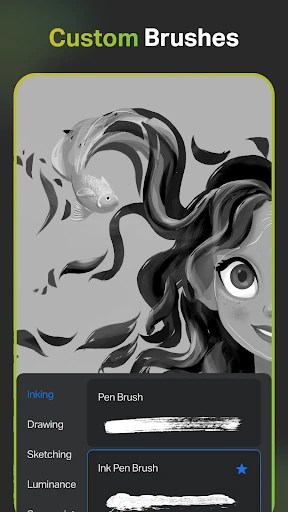
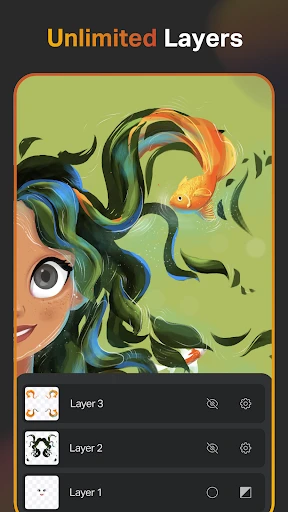
The heart of Sketch Pro lies in its versatile array of brushes and pencils, engineered to replicate real-world textures. From delicate watercolors to rich charcoal and precise graphite, every medium is at your fingertips. Advanced features like layers and blending modes provide the depth needed for complex compositions and experimental techniques.
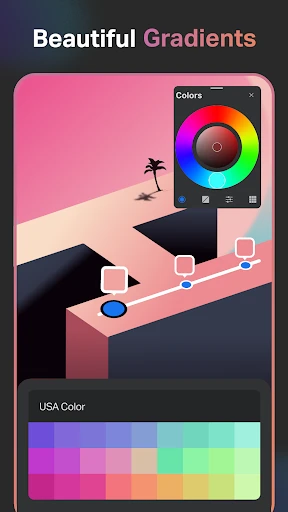
The color system is particularly exceptional. It moves beyond basic palettes, enabling you to craft, save, and import custom color sets. The ability to sample colors directly from your photos offers unparalleled creative flexibility and personalization for your projects.
Innovative Creative Features
Sketch Pro enhances creativity with smart, specialized tools. The symmetry function is ideal for crafting intricate patterns and balanced mandalas. Meanwhile, the built-in time-lapse recorder automatically captures your process, allowing you to share a captivating video of your artwork from start to finish.
Sharing your creations is effortlessly integrated. Export your work in multiple file formats and publish directly to your favorite social networks. Presenting your portfolio to the world is a streamlined and simple process.
Performance and Usability
In terms of performance, Sketch Pro runs smoothly on modern devices, though extremely older models may experience slower response times. Overall, it delivers a stable and responsive environment that keeps the focus on artistry, not on technical delays.
The app offers superb stylus support, with accurate pressure sensitivity for a natural drawing feel. For those who prefer a more direct approach, finger-touch controls are equally precise and highly responsive, making art accessible anywhere.
Final Verdict
Is Sketch Pro: Draw & Create Art worth your download? Absolutely. It provides a professional-grade suite of tools wrapped in an accessible package, perfect for hobbyists and professionals alike. With its intuitive design, rich toolset, and unique features, it stands as a powerful ally for any digital artist.
Download Sketch Pro today and begin your creative journey. Your next masterpiece is waiting to be discovered.
Pros
- Intuitive user interface for easy navigation.
- Wide range of brushes and tools available.
- Supports high-resolution canvas for detailed work.
- Seamless layer management for complex art.
- Regular updates with new features and fixes.
Cons
- Requires a stable internet for cloud sync.
- Heavy on battery usage during long sessions.
- Limited free version with in-app purchases.
- Occasional lag on older devices.
- No offline tutorials or guides available.
Frequently Asked Questions
What are the key features of Sketch Pro: Draw & Create Art?
Sketch Pro: Draw & Create Art offers a range of features designed to enhance digital drawing and creativity. Users can enjoy a variety of brushes, layers, and advanced tools for precision. The app also supports high-resolution canvases, allowing artists to create detailed and professional-quality artwork. Additionally, it offers cloud storage options for easy access and sharing.
Is Sketch Pro: Draw & Create Art suitable for beginners?
Yes, Sketch Pro: Draw & Create Art is designed to be user-friendly for beginners while still offering advanced features for professional artists. The app includes tutorials and guides to help newcomers learn the basics of digital art. Its intuitive interface allows users of all skill levels to create and experiment with their artistic ideas easily.
Does Sketch Pro: Draw & Create Art support collaboration or sharing of projects?
Absolutely! Sketch Pro: Draw & Create Art allows users to easily share their projects with others. The app supports various file formats for exporting artwork, making it simple to share across different platforms. Additionally, users can collaborate with others by sharing their work via cloud storage or social media, fostering a creative community.
What devices are compatible with Sketch Pro: Draw & Create Art?
Sketch Pro: Draw & Create Art is available for both Android and iOS devices. It is optimized to run smoothly on smartphones and tablets. For the best experience, it's recommended to use a device with a larger screen and a stylus, but finger input is also supported for those without additional accessories.
Are there any in-app purchases or subscriptions required in Sketch Pro: Draw & Create Art?
While Sketch Pro: Draw & Create Art offers a free version with basic features, there are in-app purchases available for users who want to unlock additional tools and brushes. The app also offers a subscription model, providing access to premium features, regular updates, and exclusive content. Users can choose the option that best fits their needs and budget.
Technical Info
Recommended For You

AI Outfits: Try on Clothes

Yaelokre OC Maker

Shopify - Your Ecommerce Store

Police Radar - Camera Detector

ReadEra – book reader pdf epub

Quranly

Picky - Beauty Community

Christmas Photo Frames & Cards

King James Bible Study KJV

Life Bible

Daily Bible: Holy Bible KJV

Microsoft Authenticator

OpenDocument Reader Pro

Duo Mobile

Gocrypto: Crypto Trading

Glassdoor | Jobs & Community

Beauty Camera: Sweet Camera

BeautifyX - AI Makeover Studio

Uber - Driver: Drive & Deliver

Whoosh

Everand: Ebooks and audiobooks

CEFCO Rewards

Ancestry: Family History & DNA