
Repixel: AI Photo Enhancer
Art & Design · Repixel Enhance Photos With AI For Everyone
Screenshots
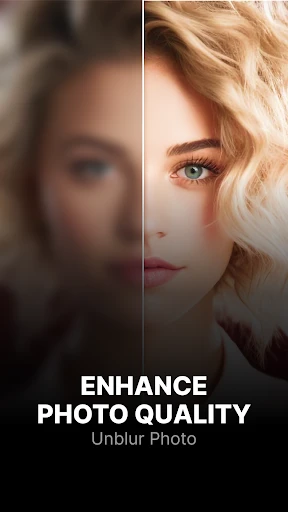
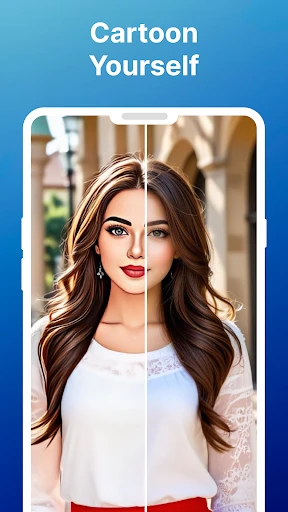

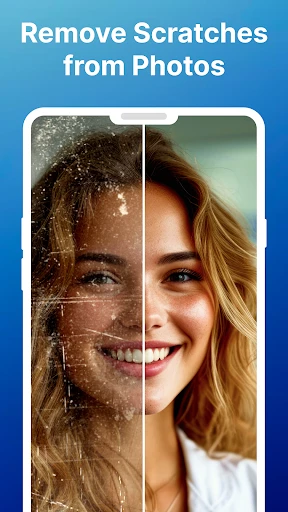

Ever wished an old, blurry photo could become clear and vivid? Repixel: AI Photo Enhancer is the unexpected tool you've been waiting for, acting like a magical brush that revitalizes your cherished memories with stunning detail and color.
Installation and First Impressions
Getting started with Repixel is effortless. The app is readily available on Android and iOS platforms and installs in moments. Upon launching, a clean and intuitive interface welcomes you, designed for immediate understanding—a relief for anyone who values simplicity and doesn't want to waste time learning complex controls.
Core Features and Capabilities
The heart of Repixel is its powerful AI enhancement engine. Simply select an image, press enhance, and watch as it undergoes a remarkable transformation. It delivers advanced editing power akin to professional software, but packaged for instant, effortless use.
For large collections, the batch processing function is indispensable. This allows you to restore dozens of photos simultaneously, turning a potentially hours-long task into a quick and automated process.
Multiple specialized modes provide tailored improvements. You can selectively sharpen details, boost fading colors, or reduce grain and noise, offering precise control to achieve exactly the look you desire for each image.
Performance and Usability
In practical use, Repixel excels with impressive speed, processing images quickly without sacrificing output quality. The final results are consistently striking, producing revitalized photos with a clarity and vibrancy that often feels surprising.
Usability is a standout strength. The app guides you intuitively with clear prompts and helpful suggestions, demonstrating a thoughtful design philosophy centered on a seamless and frustration-free user journey from start to finish.
Final Verdict
Ultimately, Repixel: AI Photo Enhancer is a standout choice for rejuvenating your picture gallery. It combines a powerful feature set with exceptional ease of use, making photo restoration both highly effective and genuinely enjoyable. Whether you're a casual user or a dedicated hobbyist, this app is certainly worth exploring—you may soon find yourself revisiting your entire photo library to witness the transformation.
Pros
- Enhances image quality effectively.
- User-friendly interface.
- Supports batch processing.
- Fast processing speeds.
- Minimal ads.
Cons
- Limited free version features.
- Requires internet connection.
- Occasional processing errors.
- Subscription can be costly.
- Limited format support.
Frequently Asked Questions
What is the primary function of Repixel: AI Photo Enhancer?
Repixel: AI Photo Enhancer is designed to improve the quality of your photos using advanced AI technology. Its primary function is to enhance image resolution, clarity, and detail, making your photos look more professional and polished, even if they were taken with an older or lower-quality camera.
Is Repixel: AI Photo Enhancer user-friendly for beginners?
Yes, Repixel: AI Photo Enhancer is designed with a user-friendly interface that caters to both beginners and advanced users. The app offers intuitive navigation and easy-to-use features, allowing even those with little technical expertise to enhance their photos effortlessly. The built-in tutorial guides users through the enhancement process step-by-step.
Does Repixel: AI Photo Enhancer support batch processing of images?
Repixel: AI Photo Enhancer does support batch processing, allowing users to enhance multiple images at once. This feature is particularly useful for photographers and professionals who need to improve the quality of large numbers of photos quickly, saving time and effort in the editing process.
What are the system requirements for installing Repixel: AI Photo Enhancer?
For Android users, Repixel: AI Photo Enhancer requires at least Android version 8.0 (Oreo) or higher, while iOS users need iOS 12.0 or later. The app is optimized for both smartphones and tablets, ensuring a seamless experience across different devices. Ensure sufficient storage space is available as the app processes high-resolution images.
Are there any in-app purchases or subscriptions within Repixel: AI Photo Enhancer?
Repixel: AI Photo Enhancer offers a free version with basic features, while premium features and tools are available through in-app purchases or a subscription model. Users can opt for a monthly or yearly subscription to access advanced functionalities, such as high-definition exports, additional filters, and priority processing.
Technical Info
Recommended For You

Bible For Women-Holy Bible App

Билеты ПДД 2025 и Экзамен ПДД

Blue Yonder Workforce

Car play/Android Auto Sync

Bible Study - Verse & Audio

PayByPhone

DriveTime Used Cars for Sale

MECH.AI: Diagnostic & Repair

Battle Royale Chapter5 Season2

Bookmory - reading tracker

Texture Maker for Minecraft PE

Future Self Face Aging Changer

Autotrader: Shop Cars For Sale

Face Swap Magic: AI Avatars

Tracer (Donation Package)

Zoom Rooms Controller

O’Reilly First Call VIN Scan

Dictionary - Merriam-Webster

FoxEyes - Change Eye Color

Rhinoplasty App: Nose Editor

Beauty Make Up Photo Editor

ExtraMile Rewards®

NovelUP — Novel Downloader
