
TeamViewer Remote Control
Business · Remote Access Support And Control For All Devices
Screenshots
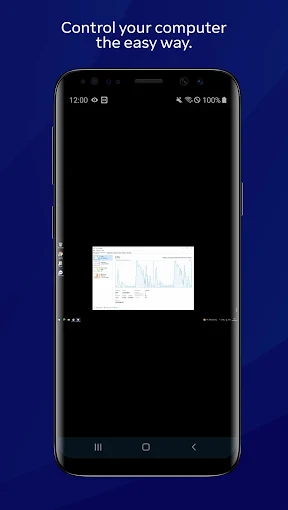
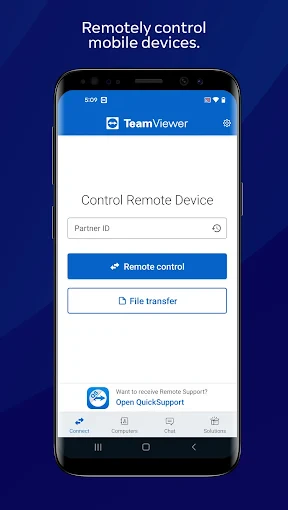
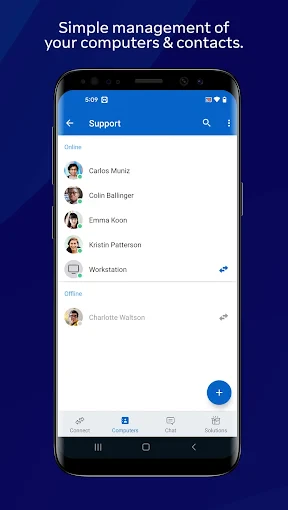
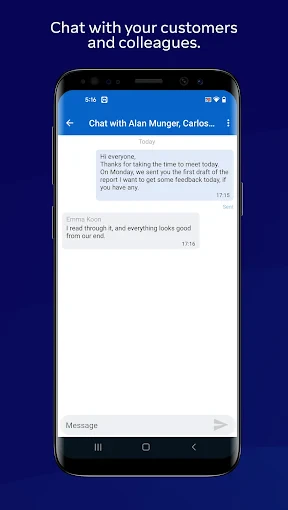
Ever wished you could access your computer from across town, or help a friend fix their tech issue without being in the same room? TeamViewer Remote Control makes this possible, acting like a digital bridge to any device. Here’s a look at what this powerful tool offers.
Simple and Straightforward Setup
Getting started with TeamViewer Remote Control couldn't be easier. The installation process is quick, and the interface is immediately understandable. After a simple setup on the devices you wish to link, you can establish a connection in moments, allowing you to work on a remote computer as if you were sitting right in front of it.
Seamless Cross-Platform Operation
A major advantage of this application is its universal device support. It functions flawlessly across Android, iOS, Windows, and macOS systems. Moving between an iPhone, an Android tablet, and a Windows desktop is effortless, making it an indispensable tool for managing a diverse ecosystem of gadgets.
Enterprise-Grade Security Protections
Security is a paramount concern with remote access, and TeamViewer addresses it comprehensively. The software uses robust end-to-end encryption to safeguard your session data. Optional two-factor authentication provides an additional layer of account security, ensuring that your connections and information remain strictly private.
High-Performance Remote Capabilities
The app delivers impressive performance for a wide range of tasks. You can operate software, edit files, and manage systems remotely with minimal delay. This high-fidelity remote control makes it viable to perform even resource-intensive work from afar, closely mirroring a direct, physical interaction with the device.
It is important to note that this smooth performance is contingent on a strong internet connection. For the best experience, a stable and speedy network is recommended, especially during prolonged or demanding remote sessions.
Effortless Remote Assistance for Others
This tool also transforms you into an instant remote support technician. You can quickly view and control another person's device to resolve issues directly, eliminating confusing verbal instructions. It's an incredibly efficient way to provide technical help to colleagues, friends, or family members, regardless of distance.
In summary, TeamViewer Remote Control is a highly capable and secure solution for remote device access and support. Its combination of ease of use, broad compatibility, and strong performance makes it a top choice. For optimal results, pair it with a reliable internet connection to unlock its full convenience and power.
Pros
- Easy to set up and use remotely
- Cross-platform compatibility
- High-quality video streaming
- Secure data transfer
- Supports file sharing
Cons
- Requires stable internet connection
- Limited features on free version
- Potential security vulnerabilities
- Occasional connection drops
- Complex for non-tech users
Frequently Asked Questions
What is TeamViewer Remote Control used for?
TeamViewer Remote Control is a versatile application designed to allow users to remotely access and control computers and other devices from anywhere in the world. It is commonly used for remote technical support, accessing files on a home computer while traveling, or collaborating with colleagues on a shared project. The app supports a wide range of platforms, including Windows, Mac, Linux, Android, and iOS.
Is TeamViewer Remote Control secure to use?
Yes, TeamViewer Remote Control is secure and takes several measures to ensure user data protection. It uses end-to-end encryption to safeguard all connections and communications between devices. Additionally, TeamViewer requires both parties to have the software installed and the connecting user to provide a unique ID and password for access, which adds an extra layer of security.
Can I use TeamViewer Remote Control for free?
TeamViewer Remote Control offers a free version for personal use, which includes basic features like remote control, file transfer, and chat functionalities. However, for businesses or users requiring advanced features such as multiple user access, reporting, and more extensive support options, a commercial license is necessary. Different pricing plans are available to accommodate various needs.
What devices and operating systems are compatible with TeamViewer Remote Control?
TeamViewer Remote Control is highly compatible with a wide array of devices and operating systems. It supports Windows, MacOS, Linux, Chrome OS, and mobile platforms such as Android and iOS. This cross-platform functionality makes it a flexible solution for users needing to connect different types of devices seamlessly. The app also provides a browser-based version for additional convenience.
How easy is it to set up and use TeamViewer Remote Control?
Setting up and using TeamViewer Remote Control is straightforward and user-friendly. After downloading and installing the app, users simply need to create an account and follow the on-screen instructions to connect to another device. The interface is intuitive, making it accessible even for those with limited technical expertise. Additionally, TeamViewer provides comprehensive online resources and customer support to assist with any setup or operational questions.
Technical Info
Recommended For You

AI Face Swap Video App-Swapme

Roadie Driver

Hinovel

Car play/Android Auto Sync

Hicut:Face Swap AI Video App

Sunoco: Pay fast & save

Car Launcher

Leonardo.Ai - Image Generator

@Voice Aloud Reader (TTS)

FIXD OBD2 Scanner

Joyread

Jotform - Form, Sign & Survey

Outlined Watch Face

ScanBizCards Premium

Audubon Bird Guide

Rhinoplasty App: Nose Editor

Cast Phone to TV, Chromecast

FPL

Diamond Painting by Number

NovelFlow

AR Draw Sketch: Paint & Trace

Google Play Books & Audiobooks

Universalis