
VSD Viewer for Visio Drawings
Business · View Edit Share Visio Drawings Anywhere Professionals
Screenshots
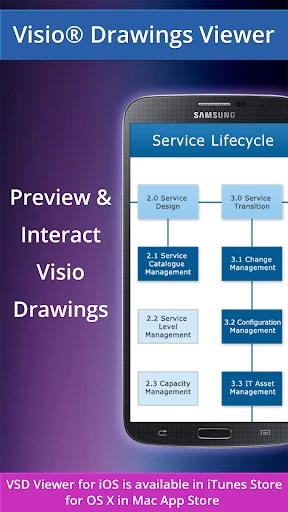
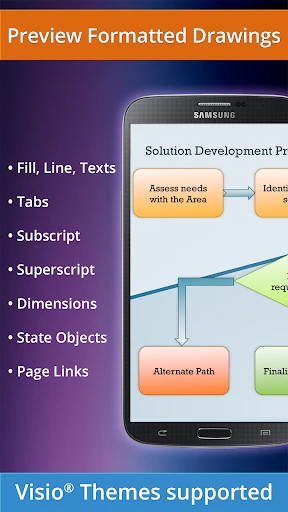
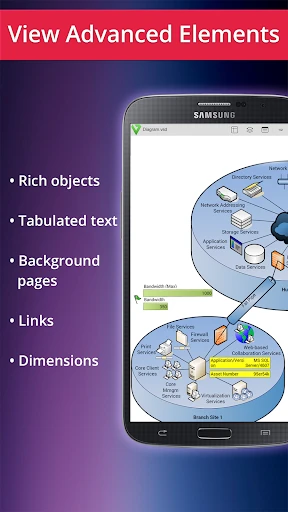
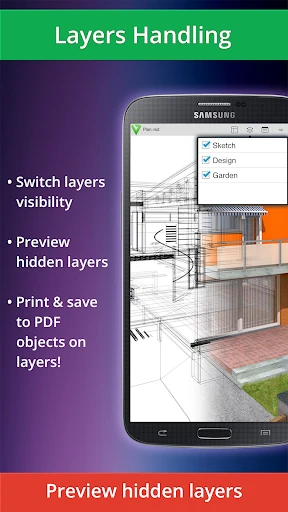
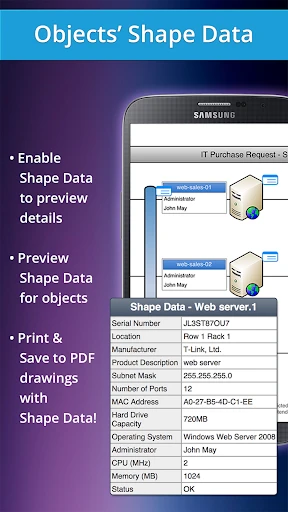
Essential Tool for Viewing Visio Files on Mobile
Struggling to open Visio diagrams on your smartphone is a common frustration. The VSD Viewer for Visio Drawings app provides the perfect solution, offering seamless access to your files. Here is a detailed overview of its functionality and benefits.
Simple Installation and Setup
The application is readily available for download on both iOS and Android platforms via their respective app stores. Installation is straightforward, allowing you to configure the app and begin viewing files within moments.
Core Functionality and Features
This viewer’s primary strength is its direct support for native Visio file formats. It effortlessly opens both .vsd and .vsdx files, eliminating the need for any preliminary conversion.
Navigating complex diagrams is intuitive with responsive zoom and pan controls. Using multi-touch gestures, you can easily examine fine details in flowcharts, floor plans, or organizational charts.
The app fully supports Visio layers, enabling you to selectively show or hide elements within a drawing. It faithfully preserves the original formatting and design integrity, ensuring diagrams from colleagues appear exactly as intended.
Key Advantages for Users
This tool is indispensable for professionals who require immediate access to technical diagrams. Reviewing a detailed network schematic or process flowchart during a meeting directly from your phone becomes effortlessly simple.
Its user interface is designed for clarity and ease of use, requiring minimal technical knowledge to operate effectively. The development focus is squarely on universal accessibility and a smooth user experience.
Despite its powerful features, the application remains lightweight and efficient. It operates without consuming excessive system resources, ensuring your device’s performance remains unaffected.
Final Assessment
In summary, VSD Viewer for Visio Drawings is a reliable and highly effective mobile solution for viewing Visio files. Its robust performance and focused feature set make it an excellent choice for engineers, managers, and anyone who regularly works with diagrams.
If you seek to end the hassle of file conversions or simply desire a dependable way to access Visio drawings on the go, this app is worth trying. It is poised to become an essential utility in your professional toolkit.
Pros
- Supports a wide range of Visio file formats.
- Quick and easy file import process.
- High-quality rendering of complex diagrams.
- Offers zoom and pan for detailed viewing.
- Cross-platform availability on iOS and Android.
Cons
- Limited editing capabilities for diagrams.
- Occasional lag with large files.
- No real-time collaboration features.
- Requires in-app purchase for full features.
- Some features hidden behind a paywall.
Frequently Asked Questions
What is VSD Viewer for Visio Drawings and how does it work?
VSD Viewer for Visio Drawings is a specialized application that allows users to view Microsoft Visio drawings and diagrams. It works by supporting the VSD file format, enabling users to open, view, and share Visio files on devices that don't have Microsoft Visio installed. The app ensures that all elements of the original Visio diagram, such as shapes, layers, and text, are accurately displayed, providing a seamless experience for users who need to access Visio files on the go.
Can I edit Visio drawings using VSD Viewer for Visio Drawings?
No, VSD Viewer for Visio Drawings is designed primarily for viewing purposes and does not include editing capabilities. Users can open and view Visio files, but they cannot make changes or modifications to the drawings. For editing, users would need to use Microsoft Visio or another software that supports VSD file editing.
What file formats are supported by VSD Viewer for Visio Drawings?
VSD Viewer for Visio Drawings supports the viewing of VSD files, which are native to Microsoft Visio. While it specializes in this format, the app may not support newer or different file formats such as VSDX or VDX. Users should ensure that their Visio files are saved in the supported VSD format to guarantee compatibility with the viewer.
Is VSD Viewer for Visio Drawings available on both Android and iOS platforms?
Yes, VSD Viewer for Visio Drawings is available for both Android and iOS platforms. This cross-platform availability allows users to access and view their Visio files on a variety of devices, whether they're using a smartphone or a tablet. Users can download the app from the Google Play Store for Android devices and the Apple App Store for iOS devices.
Does VSD Viewer for Visio Drawings support all features of Visio diagrams?
While VSD Viewer for Visio Drawings provides comprehensive viewing capabilities, not all features of Visio diagrams may be fully supported. The app focuses on accurately displaying shapes, text, and layers, but some advanced features or animations present in complex Visio diagrams might not be visible. Users should check specific requirements to ensure all necessary elements are viewable in the app.
Technical Info
Recommended For You

Libby, the Library App

NotanIzer

Mens Hairstyles And Haircuts

Duo Mobile

Autotrader: Shop Cars For Sale

Luvme Hair

Moon+ Reader

Kelley Blue Book: We Know Cars

PocketBook reader - any books

AMarkets: Trade & Invest

GetCode - Virtual Number SMS

Microsoft Designer

Learn to Draw Anime by Steps

Storytel - Audiobooks & Books

O’Reilly First Call VIN Scan

OBD Scanner ELM327: GaragePro

Al Quran Sharif for Muslim

Paychex Flex

Knots 3D

NovelFlow

The Cepher

Webmotors: comprar carro

Customuse: Skins Maker Roblox
