
Animation Creator: Flipbook 2D
Art & Design · Animation Creator Flipbook Draw Frame By Frame
Screenshots

Animation Creator: Flipbook 2D: Your Gateway to Digital Cartoons
Calling all aspiring animators! For anyone who has imagined bringing their drawings to life, Animation Creator: Flipbook 2D offers the perfect starting point. This app transforms your device into a dynamic studio, making cartoon creation accessible and enjoyable for both beginners and seasoned artists. Discover the features that set this digital flipbook apart.
An Intuitive Introduction to the Craft
The app’s interface is immediately welcoming. Animation Creator: Flipbook 2D captures the charming simplicity of a paper flipbook, translated seamlessly for the digital age. Its clean, logical design ensures you can start creating without a steep learning curve.
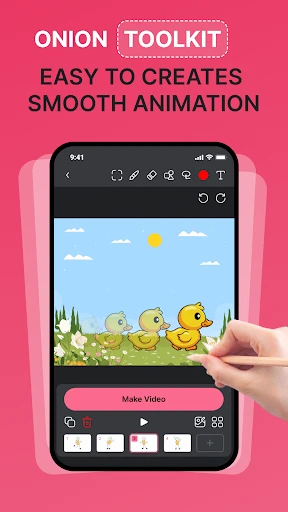
A versatile set of drawing tools, including multiple brushes and a full color palette, is at your fingertips. The essential onion skinning feature provides a faint ghost image of your previous frame, offering crucial guidance for smooth motion and taking the guesswork out of animation.
Powerful Features for Creative Control
The inclusion of layers elevates your projects significantly. This functionality allows you to separate elements like characters, props, and backgrounds, providing professional-grade organization and creative flexibility directly on your mobile device.
Full command over your animation is granted through the intuitive timeline editor. Here, you can effortlessly adjust the playback speed and rearrange the sequence of frames with simple gestures. The immediate satisfaction of watching your vision come to life is unparalleled.
Exporting and Sharing Your Work
Once your animation is complete, sharing it with the world is straightforward. The app supports exporting your creations as GIFs or video files, ensuring compatibility for social media, messaging, or your personal portfolio.
Dive into the built-in community gallery to publish your work, gain inspiration from other creators, and receive feedback. This social space is ideal for sparking new ideas, improving your skills, and connecting with a audience that appreciates your art.
Why This App Belongs on Your Device
In a landscape of overly complex and costly animation tools, Animation Creator: Flipbook 2D stands out for its approachable design and pure enjoyment. It successfully bridges the gap between a casual pastime and a serious creative tool, making it a valuable resource for any level of interest.
If you're ready to transform static sketches into lively stories, Animation Creator: Flipbook 2D is your ideal companion. Download it today and take the first step on your animation journey.
Pros
- User-friendly interface for beginners.
- Wide range of drawing tools available.
- Supports onion skinning for animations.
- Easy export to various formats.
- Regular updates and improvements.
Cons
- Limited advanced features for professionals.
- Occasional app crashes reported.
- No cloud storage integration.
- Ads can be intrusive at times.
- Requires in-app purchases for full features.
Frequently Asked Questions
What features does Animation Creator: Flipbook 2D offer?
Animation Creator: Flipbook 2D provides a comprehensive suite of tools for creating hand-drawn animations. Users can enjoy features such as onion skinning, frame-by-frame animation, various brush types, and layers. Additionally, it supports export options in different formats, making it versatile for both beginners and experienced animators.
Is Animation Creator: Flipbook 2D suitable for beginners?
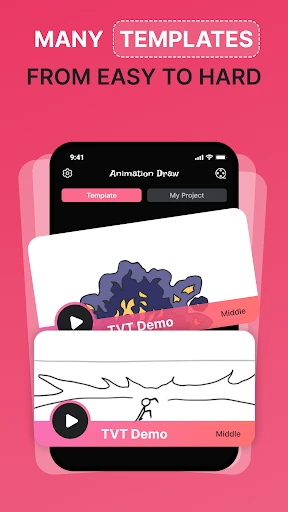
Yes, Animation Creator: Flipbook 2D is designed to be user-friendly, making it suitable for beginners. It offers an intuitive interface with step-by-step guides and tutorials to help new users get started. The app also includes templates and presets that simplify the animation process, allowing beginners to learn and enjoy creating animations quickly.
Can I use Animation Creator: Flipbook 2D on both Android and iOS devices?
Animation Creator: Flipbook 2D is available for both Android and iOS platforms. This cross-platform availability ensures that users can create animations on their preferred device without any limitations. The app is optimized for both operating systems, providing a seamless experience regardless of the device used.
What are the export options in Animation Creator: Flipbook 2D?
The app provides multiple export options, allowing users to save their animations in various formats such as GIF, MP4, and PNG sequences. This flexibility ensures that users can share their creations on different platforms or integrate them into other projects. The app also allows for resolution adjustments to fit specific needs.
Does Animation Creator: Flipbook 2D require an internet connection?
Animation Creator: Flipbook 2D does not require a constant internet connection for creating animations. Users can work offline, making it convenient for use in areas without internet access. However, an internet connection may be needed for updates, accessing online tutorials, or sharing animations directly to social media platforms.
Technical Info
Recommended For You

СL Theme Line
Housecall Pro

Keys simulator and cars sounds

MediBang Paint:Draw Art, Comic

Resume - Intelligent CV maker

Shiftsmart - Find Work

TapRead - Romance Stories

AI Image Generator: ImagineArt

AlfaOBD

BitBible (Lockscreen, English)
WOMBO Dream - AI Art Generator

Magic Beauty Makeup Camera

Textify- Art Font Photo Editor

Droid Dashcam - Video Recorder

ArtCanvas: Learn how to draw

Spellai - AI Art Maker

Magic Cross Stitch: Pixel Art

X Launcher Pro

PDF Scanner app - TapScanner

Visual Voicemail

Camouflage Doors Mod for MCPE

ESV Bible

Security Camera Mod Minecraft
