
OBDocker - OBD2 Car Scanner
Auto & Vehicles · OBDocker Diagnose Car Issues Monitor Performance For Car Owners
Screenshots
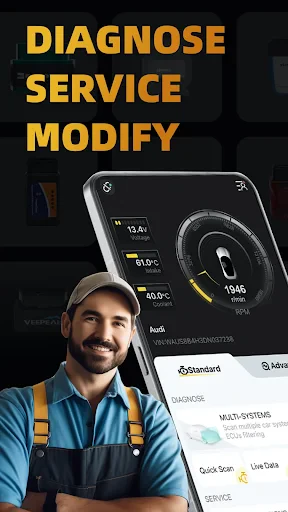
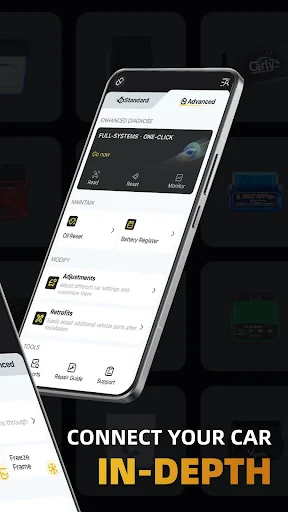
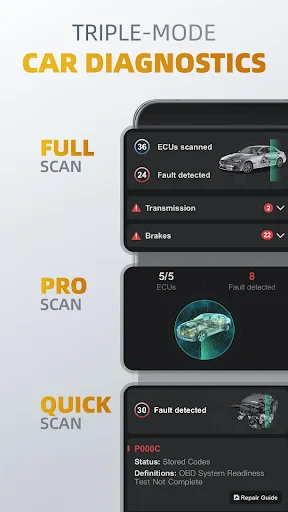
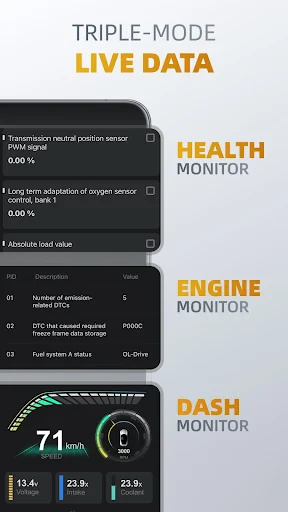
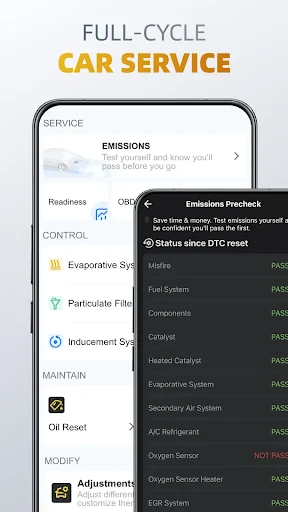
OBDocker - OBD2 Car Scanner: Your Essential Automotive Companion
For every driver who values understanding and maintaining their vehicle, meet OBDocker. This OBD2 car scanner app transforms your smartphone into a powerful diagnostic tool, putting detailed vehicle insights directly into your hands. Whether you're a DIY enthusiast or simply want to ensure your car's optimal health, OBDocker is designed to empower you.
The Power of OBD2 Diagnostics
OBD2, or On-Board Diagnostics, is the universal language of your car's internal systems. The OBDocker app taps directly into this stream of data, providing clarity on your vehicle's status. It turns complex electronic communication into actionable knowledge, helping you maintain control and awareness.
By connecting to your car's OBD2 port, OBDocker enables you to read and reset diagnostic trouble codes, monitor live engine parameters, and identify emerging issues. This proactive approach can help prevent minor concerns from escalating into major repairs.
Intuitive Design, Professional Insights
OBDocker excels through its accessible interface. Complex data is presented clearly, allowing you to navigate diagnostics without needing a background in mechanics. The app provides a seamless journey from connection to comprehension.
- Connect effortlessly via Bluetooth or Wi-Fi.
- Receive clear, plain-English explanations of fault codes.
- Monitor real-time vehicle data streams.
Imagine your check engine light illuminating during a trip. With OBDocker, instant clarity replaces uncertainty. A quick scan reveals the specific issue, allowing for informed decisions without immediate stress—transforming a moment of worry into one of managed information.
Comprehensive Vehicle Management Suite
OBDocker distinguishes itself with a full spectrum of automotive tools. Beyond basic code reading, it offers features for holistic vehicle care, including trip logging, fuel efficiency tracking, and emission system readiness checks.
The performance monitoring capabilities are particularly valuable. Track metrics like RPM, speed, and engine load, and analyze driving data to optimize both vehicle performance and efficiency. It's an ideal tool for tuning enthusiasts and eco-conscious drivers alike.
Connect With a Knowledgeable Community
OBDocker is more than an app; it's a gateway to a shared passion. Access an integrated community of fellow automotive owners and experts. Exchange advice, share personal experiences, and discuss modifications in a dynamic, supportive environment.
The development team actively incorporates user feedback into regular updates and feature enhancements. This commitment to responsive improvement ensures the app continuously evolves to meet driver needs.
Final Assessment
Is OBDocker a worthwhile addition? Absolutely. It stands as a vital resource for anyone taking an active role in their vehicle's maintenance and performance. Combining a user-friendly design with robust features and community support, OBDocker serves as your trusted co-pilot for smarter driving.
Explore what OBDocker can do for you and your vehicle. Discover a new level of connection and confidence on every journey. Safe travels.
Pros
- User-friendly interface for all skill levels.
- Supports a wide range of OBD2 protocols.
- Real-time data monitoring and logging.
- Compatible with most vehicles post-1996.
- Offers detailed diagnostic trouble codes.
Cons
- Requires a stable Bluetooth connection.
- Limited features in free version.
- Some data may require interpretation.
- May not support older car models.
- Occasional app crashes reported.
Frequently Asked Questions
What is OBDocker and how does it work?
OBDocker is an OBD2 car scanner application that connects to your vehicle's on-board diagnostics system using your smartphone. By using a compatible OBD2 Bluetooth adapter, the app provides real-time data about your car's performance, diagnostics trouble codes, and more. This allows users to monitor their vehicle’s health and efficiently troubleshoot issues.
Is OBDocker compatible with all vehicles?
OBDocker is designed to work with most vehicles manufactured after 1996 that are OBD2 compliant. However, compatibility can vary based on the make and model of the vehicle, as well as the specific OBD2 adapter used. It is recommended to check the app's compatibility list or consult with the manufacturer for specific vehicle compatibility.
What are the main features of OBDocker?
OBDocker offers a variety of features including real-time data monitoring, engine diagnostics, fuel economy tracking, and error code reading. It also provides detailed reports on vehicle performance and helps users clear diagnostic trouble codes. These features make it a comprehensive tool for car owners looking to maintain and monitor their vehicle's health.
Do I need any additional hardware to use OBDocker?
Yes, in order to use OBDocker effectively, you need an OBD2 Bluetooth adapter. This adapter plugs into the OBD2 port of your vehicle and connects wirelessly to your smartphone running the OBDocker app. The adapter is crucial for enabling communication between the app and the vehicle's diagnostics system.
How user-friendly is the OBDocker app?
OBDocker is designed with user-friendliness in mind, featuring an intuitive interface that is easy to navigate. The app provides clear instructions and a straightforward setup process, making it accessible for both beginners and experienced users. Additionally, it offers helpful tutorials and customer support to assist users in maximizing the app's potential.
Technical Info
Recommended For You

WhenToWork Employee Scheduling

VistaCreate: Graphic Design

Whistle Express Car Wash

Crafto

Holy Bible King James + Audio

Magic Beauty Makeup Camera

AR Draw Sketch: Paint & Trace

Animic AI: Anime Generator

Cars Mod for Minecraft PE 2025

Volvo Cars

АЗС Татнефть

My crochet designer

Bible Daily, KJV Bible + Audio

Mark - AI Logo Generator

Tattoo AI - Tattoo Design

Learn Drawing

Draw Cartoon - AR Drawing App

CCW – Concealed Carry 50 State

DeepL Translate

Keys simulator and cars sounds

Daily Bible - KJV Holy Bible

DMV Practice Test Pro 2024

Logo Maker : Logo Creator
