
Learn how to draw - ArtWorkout
Art & Design · Learn drawing skills with guided tutorials for all ages
Screenshots
Master Drawing with ArtWorkout
Calling all aspiring artists! Do you find yourself doodling whenever you have a spare moment? Perhaps you feel a creative urge but are unsure where to begin? Allow me to introduce you to Learn how to draw - ArtWorkout. Imagine a personal art tutor available right on your device—this app truly revolutionized my approach to art. Let’s explore what makes it an essential tool for anyone looking to enhance their drawing skills.
Begin Your Artistic Journey
Getting started with ArtWorkout is straightforward. Upon launching the app, you are greeted by an intuitive and clean interface. It begins by assessing your existing drawing ability, catering to complete beginners and those with some practice alike. This personalized setup ensures you start on the right foot and advance steadily from your own unique starting point.
Distinctive and Powerful Features
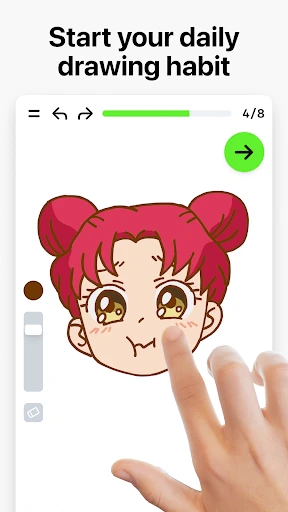
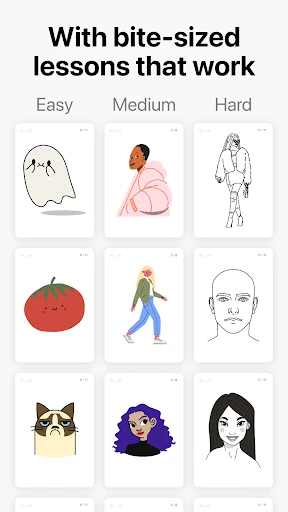
The app excels through its structured, easy-to-follow tutorials. Content is divided into focused modules, each dedicated to a core technique. You'll find comprehensive lessons on essential skills like mastering shading, understanding proportions, and sketching realistic portraits. Each step-by-step guide is enhanced with clear video demonstrations, simplifying complex concepts.
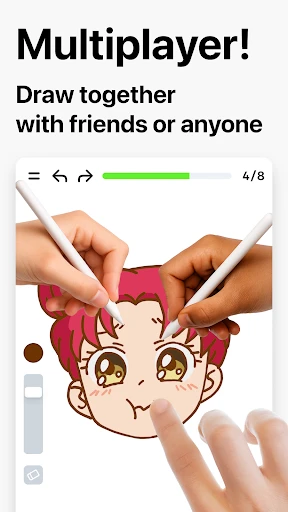
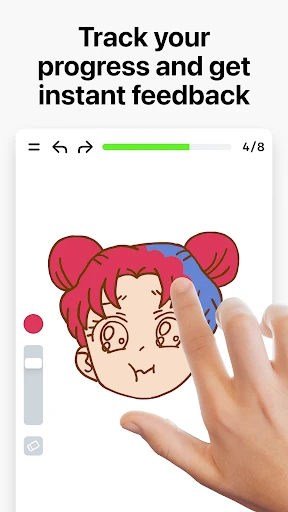
Equally impressive is the interactive practice component. Following each lesson, you apply what you've learned and receive instant, constructive feedback. It closely mimics the experience of having a coach guide your hand. The integrated community gallery is another highlight, providing a space to share your creations and draw inspiration from fellow artists.
Flexible Learning Designed for You
A major benefit of ArtWorkout is its adaptability to your schedule. You can practice during any free moment, be it a brief break or a longer session. The app seamlessly tracks your advancements, offering a clear view of your achievements and upcoming goals.
The developers have thoughtfully included a suite of digital art tools within the app. Experiment with various pencils, brushes, and more without the need for physical supplies. This is not only cost-effective but also removes all barriers to exploring different artistic mediums and techniques.
Reasons to Download ArtWorkout Today
If you are serious about improving your drawing or simply desire a engaging creative outlet, I highly recommend Learn how to draw - ArtWorkout. It is educational, consistently engaging, and most importantly, enjoyable. You will notice significant progress with just a few weeks of dedicated practice. For anyone ready to unlock their artistic potential, this app is certainly worth exploring.
In summary, Learn how to draw - ArtWorkout provides a comprehensive, enjoyable, and accessible path for artistic growth. Regardless of your starting level, this app offers valuable resources to help you evolve. Happy drawing!
Pros
- User-friendly interface for beginners.
- Wide variety of drawing exercises.
- Offline access available.
- Interactive tutorials enhance learning.
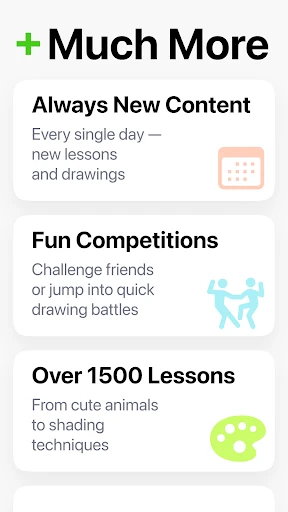
- Regular updates with new content.
Cons
- Limited free content available.
- In-app purchases can be pricey.
- Requires internet for some features.
- Ads can interrupt the experience.
- Some tutorials lack depth.
Frequently Asked Questions
What is ArtWorkout and how does it help improve drawing skills?
ArtWorkout is a comprehensive drawing app designed to help users of all skill levels enhance their artistic abilities. It offers a wide range of tutorials, exercises, and interactive lessons that focus on various drawing techniques, styles, and subjects. With step-by-step guidance and feedback, ArtWorkout makes learning to draw accessible and enjoyable, providing a structured approach to developing your skills.
Is ArtWorkout suitable for beginners, or is it more geared towards advanced artists?
ArtWorkout is tailored for both beginners and advanced artists. For beginners, it offers simple, easy-to-follow tutorials that introduce basic drawing techniques and concepts. For more experienced artists, the app provides advanced lessons that challenge and refine existing skills. This dual approach ensures that users at any skill level can benefit from the app and continue to grow as artists.
Does ArtWorkout require any additional tools or materials to get started?
ArtWorkout is designed to be used primarily on your device, so you don't need any additional tools or materials to start learning. However, if you prefer the tactile experience of drawing on paper, you can use the app in conjunction with traditional drawing tools like pencils and sketchbooks. The app's digital interface complements both digital and analog drawing practices.
How does the feedback system work in ArtWorkout?
ArtWorkout includes an intuitive feedback system that helps users track their progress and improve their skills. As you complete exercises and lessons, the app provides constructive feedback on your work, highlighting areas for improvement and suggesting ways to enhance your technique. This personalized feedback ensures that you gain a deeper understanding of drawing concepts and continue to develop your skills effectively.
Is there a cost associated with using ArtWorkout, or is it free to download?
ArtWorkout offers a free version with basic features and lessons, allowing users to explore the app's offerings without any initial cost. For those seeking a more in-depth experience, the app also provides a premium version with additional content, advanced tutorials, and exclusive features. Users can choose the option that best fits their needs and budget, making ArtWorkout accessible to a wide audience.
Technical Info
Tags
Recommended For You

dēzl™

DriveTime Used Cars for Sale

Esports Logo Maker

Beauty Camera Selfie Makeup

Tattoo Simulator Tattoo Maker

Hush: Android Auto Audio Fix

HD Camera for Android

Madison Reed App - Hair Color

Sketch Pro: Draw & Create Art

CarParts.com

Fresha for business

Hairstyles step by step

Alight Mobile

Shopify - Your Ecommerce Store

Fresha for customers

Cartoon Photo Editor ・Toon AI

PayPal POS (ex Zettle)

USPS MOBILE®

GIMP

Bolt for Tesla - Tasker Plugin

AutoZen-Car Dashboard&Launcher

Wattpad - Read & Write Stories

Easy Pose - 3D pose making app
