
Video Background Changer
Beauty · Change Video Backgrounds Easily For Everyone
Screenshots


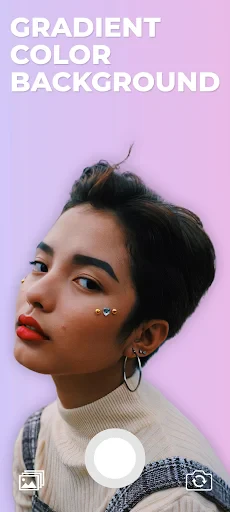
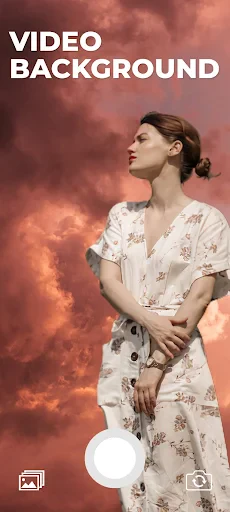
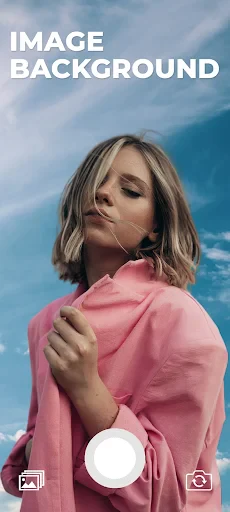
Video Background Changer: Compact Editing Power in Your Pocket
Instantly Transform Your Video Scenes
The core feature is seamless background replacement. Video Background Changer offers an intuitively simple interface designed for effortless navigation. Regardless of your technical skill, you can quickly master the process: just choose your video, select a new backdrop from the integrated library or your personal gallery, and watch as your clip is transported to a completely fresh setting.
The intelligent AI-powered segmentation handles the complex task. It effectively identifies and isolates the primary subject from the original background. While it may occasionally miss extremely fine details such as flyaway hair or struggle with very rapid motion, its performance is impressively robust for a mobile application.
Customize and Enhance Your Creations
A major advantage is the extensive customization available. Move beyond static images by using dynamic, moving backgrounds to add captivating depth. The app provides adjustable blending intensity for the background effect, granting you precise control over the final aesthetic.
Additionally, a suite of built-in filters and editing tools allows for color correction and creative effects, polishing your video to perfection. It’s akin to carrying a miniature production studio on your device. Whether crafting a casual clip for social media or a more polished project, the necessary tools are at your fingertips.
Assessing Performance and Usability
Regarding performance, the app generally operates smoothly. Processing times for background replacement are reasonable, though they vary based on your video's length and resolution. Testing across devices shows optimal performance on newer hardware, with some processing delays possible on older phone models.
The user experience is strengthened by a clean, uncluttered interface. A welcome aspect is the minimal ad intrusion. It is important to note that access to more advanced features requires upgrading to a premium version, though the free tier remains fully functional for core editing tasks.
Final Verdict: Is This App For You?
So, is Video Background Changer a worthwhile download? For anyone seeking to creatively enhance videos without mastering complex desktop software, this app is certainly recommended. It combines user-friendliness with a powerful feature set, delivering results that exceed expectations for mobile editing.
While not flawless for every challenging scenario, it serves as an enjoyable and practical tool for everyday users and budding content creators. Be aware that performance may vary on older hardware. In summary, it's a smart, capable app that empowers you to add a professional, cinematic touch to your videos directly from your phone.
Pros
- Easy to use interface
- High-quality video outputs
- Wide variety of background options
- Quick processing time
- Supports multiple video formats
Cons
- Limited free version features
- Requires a stable internet connection
- Occasional app crashes
- In-app advertisements
- Large file size for download
Frequently Asked Questions
What is Video Background Changer?
Video Background Changer is an innovative app designed to allow users to alter the background of their videos easily. It uses advanced algorithms to detect the subject and replace the background with a different image or video, offering creative possibilities for content creators. This app is available for both Android and iOS devices.
How does Video Background Changer work?
The app utilizes machine learning and AI-powered technology to identify the subject in a video and separate it from the background. Users can then select from a range of pre-set backgrounds or upload their own images or videos. The app processes the video in real-time, providing a preview of the changes before saving the final version.
Are there any limitations to using Video Background Changer?
While Video Background Changer is a powerful tool, it may not work perfectly with complex backgrounds or in low-light conditions. The accuracy of background detection can vary depending on the quality of the video and the distinctness of the subject from the background. Users may need to experiment with different settings to achieve the best results.
Is Video Background Changer free to use?
Video Background Changer offers a free version with basic features, which should suffice for casual users. However, for more advanced features and a wider range of background options, users can opt for the premium version. The premium version is available through in-app purchases, allowing users to unlock additional functionalities.
What devices are compatible with Video Background Changer?
Video Background Changer is compatible with most modern Android and iOS devices. Users should ensure their device meets the minimum operating system requirements, which are typically Android 5.0 and above or iOS 11 and above. It's recommended to have a device with a good camera and processor for optimal performance.
Technical Info
Recommended For You

O’Reilly First Call VIN Scan

Yaelokre OC Maker

Mirror - Fullscreen Mirror App

My Bible - Verse+Audio

Beauty Camera Selfie Makeup

Toyota

Rain Instant Pay

WhenToWork Employee Scheduling

OBD2 Car Scanner - ELM Torque

Photoleap: AI Photo Generator

CarMax: Used Cars for Sale

Meta Business Suite

Spanish English Translator

Билеты ПДД 2025 и Экзамен ПДД

Our Daily Bread

Leonardo.Ai - Image Generator

Anime Avatar Maker & Creator

Audiobooks.com: Books & More

Lyft Driver

Arvin® - AI Logo Maker

Vagaro Pro

EOBD Facile: OBD 2 Car Scanner

VIN Check Report for Used Cars