
Genius Scan - PDF Scanner
Business · Genius Scan Mobile Document Scanner PDF Creator
Screenshots
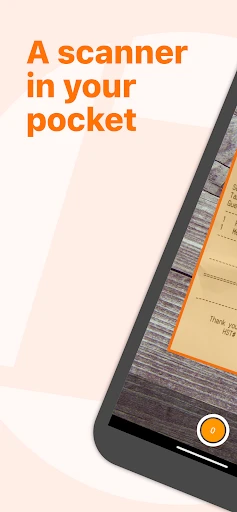
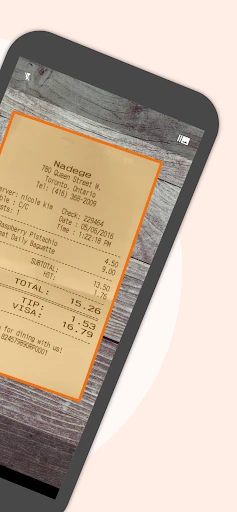
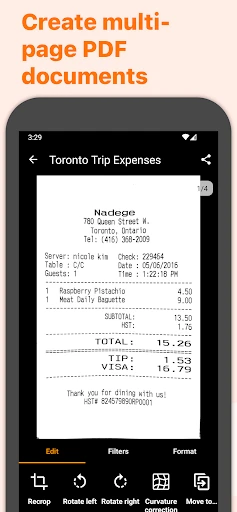
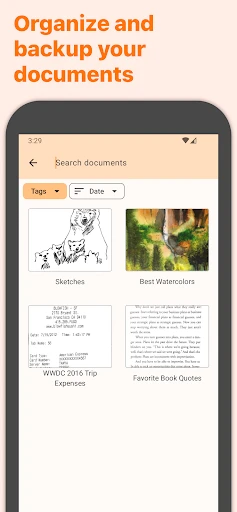
Tired of being buried under piles of paperwork and dreaming of an instant way to digitize it all? Meet Genius Scan - PDF Scanner, the app designed to simplify your life by converting physical documents into shareable PDF files with just a few quick taps.
An Intuitive and Powerful Scanning Experience
Right from the start, Genius Scan impresses with its exceptionally user-friendly interface. It’s welcoming for everyone, regardless of technical skill. Just aim your phone’s camera at any document—the app instantly recognizes the page edges, crops it perfectly, and enhances the image for sharp, clear text. Blurry, angled scans become a thing of the past.
Effortless Organization and Retrieval
Keeping your digital documents orderly is simple. The app lets you sort scans into custom folders for receipts, contracts, notes, or any other category. Adding tags makes finding what you need effortless—just search by keyword and let Genius Scan locate it in seconds.
Share and Export with Total Flexibility
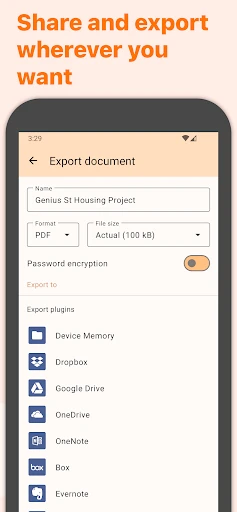
Sharing your scans is incredibly straightforward. You can email documents as PDFs or JPEGs, upload them directly to cloud storage including Dropbox, Google Drive, and Evernote, or even print wirelessly. It’s like carrying a full scanner and filing system in your pocket.
Seamless Sync Across Your Devices
For those who use multiple devices, the sync feature is indispensable. Your scanned documents are automatically updated and available wherever you are, ensuring you always have access to your latest files.
Built-in Security for Your Peace of Mind
Genius Scan takes document security seriously. You can safeguard sensitive files with a passcode, and on iPhone, use Face ID or Touch ID for added protection. It’s like having a personal security guard for your confidential information.
The Ultimate Tool for a Paperless Life
In summary, Genius Scan - PDF Scanner is a robust application that masterfully combines advanced functionality with everyday simplicity. Whether you’re a student, professional, or anyone seeking to conquer paper clutter, this app delivers exceptional value. Ready to embrace digital organization? Try Genius Scan—your inner organizer will be profoundly grateful.
Pros
- High-quality scan output.
- User-friendly interface.
- Batch scanning feature.
- Supports cloud storage integration.
- Fast processing speed.
Cons
- Limited free version features.
- Occasional ad pop-ups.
- Requires camera access.
- Some features need internet.
- Paid version for premium features.
Frequently Asked Questions
What is Genius Scan and how does it work?
Genius Scan is a mobile application designed to help users quickly and efficiently scan documents using their smartphone's camera. The app uses advanced image processing technology to enhance the scanned documents, automatically detecting and cropping the edges of the paper. Users can then save these scans as PDF files or share them through various platforms, making it an ideal tool for those needing to digitize and organize their paperwork on-the-go.
Is Genius Scan available for both Android and iOS devices?
Yes, Genius Scan is available for both Android and iOS platforms. Users can download the app from the Google Play Store for Android devices and the Apple App Store for iOS devices. The app is compatible with a wide range of devices, ensuring most users can access its features regardless of their smartphone's operating system.
Does Genius Scan offer cloud storage integration?
Genius Scan offers seamless integration with various cloud storage services. Users can easily save and back up their scanned documents to popular services like Google Drive, Dropbox, and OneDrive. This feature ensures that users can access their documents from multiple devices and locations, providing flexibility and convenience for managing important paperwork.
What are the security features provided by Genius Scan?
Genius Scan prioritizes user security by offering features such as password protection for PDF files and Touch ID or Face ID authentication for accessing the app. These features help keep sensitive documents secure, ensuring that only authorized users can view or share the scanned files. Additionally, the app ensures that scanned documents are not stored on third-party servers, maintaining user privacy.
Is there a cost associated with using Genius Scan?
Genius Scan offers a free version with essential features, allowing users to scan documents and save them as PDFs. For those seeking advanced features such as batch scanning, cloud export options, and enhanced security measures, a premium version is available through in-app purchases. This tiered pricing structure ensures that users can choose a plan that best fits their needs and budget.
Technical Info
Recommended For You

Taximeter

@Voice Aloud Reader (TTS)

Microsoft Designer

HiPaint -Sketch Draw Paint it!

Doodle Art: Magic Drawing App

FPL

OBD JScan

Al Quran MP3 Audio Offline App

Color Wheel

Yelp for Business

Webex Meetings

Thrift Savings Plan

Roadie Driver

طاقچه؛ کتاب الکترونیکی و صوتی

Holy Bible - Verse+Audio

Typology Paris - Skincare

Google Chat

Hair Color Changer: Hairstyles

AniDraw: 2D Draw Animation

Fiverr - Freelance Service

Universalis

Desygner: Graphic Design Maker

OBDeleven VAG car diagnostics
