
AnyDesk Remote Desktop
Business · Remote Desktop Access Anytime Anywhere For Everyone
Screenshots

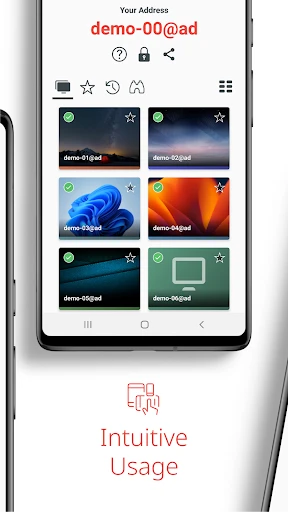
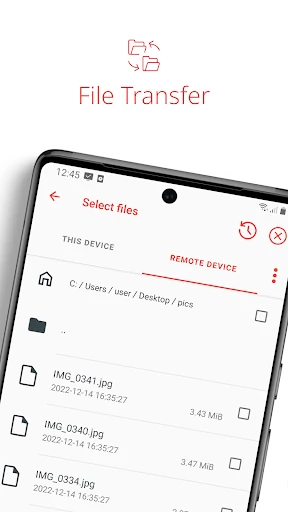

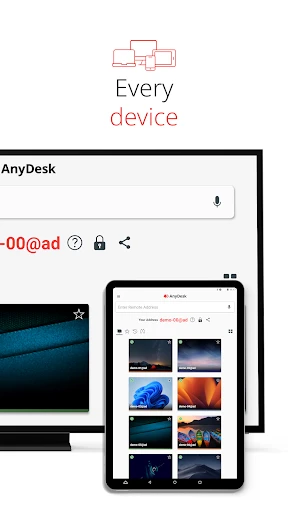
Access Your Computer From Any Location With AnyDesk
Have you ever needed a file or program from your computer while you were away from it? This common frustration has a powerful solution: AnyDesk Remote Desktop. It effectively puts your entire desktop experience in the palm of your hand.
The Essential Tool For Remote Access
AnyDesk Remote Desktop is a transformative application for remote connectivity. It enables you to securely control your computer from a mobile device or another computer from any location with internet access. For mobile professionals and busy individuals, it eliminates the constraint of physical proximity to your primary machine.
Simple Setup For Immediate Connection
Initiating use of AnyDesk is straightforward. Install the application on both your remote device and your host computer. Each device receives a unique address to facilitate a direct connection. Within moments, you can view and interact with your computer's desktop through a clear and manageable interface, requiring no advanced technical knowledge.
High-Performance Remote Control
AnyDesk delivers exceptional speed and responsiveness during remote sessions. The technology supports demanding tasks such as editing documents, managing applications, and media playback with minimal lag. This performance creates an experience remarkably close to sitting directly in front of the host computer.
Enterprise-Grade Security Protections
Security is a critical foundation of AnyDesk. The platform employs robust encryption protocols to safeguard all data transmitted between your devices. This focus on security ensures your work and information remain protected during every remote access session.
Productivity Features For Enhanced Workflow
Beyond basic control, AnyDesk includes powerful productivity tools. The integrated file transfer function allows for quick and easy movement of files between connected devices. Support for multiple monitors provides a comprehensive view of complex workstation setups.
A built-in text chat feature also enables instant communication with colleagues or clients during a remote session, streamlining collaboration and support directly within the application.
In summary, AnyDesk Remote Desktop is an indispensable solution for reliable, secure, and feature-rich remote computer access. It adeptly serves both personal and professional needs for staying productively connected. Experience its capabilities to transform how and where you work.
Pros
- Fast and reliable connection
- Cross-platform compatibility
- User-friendly interface
- Strong security features
- Low latency interaction
Cons
- Limited free version features
- Occasional connectivity issues
- Requires stable internet
- No built-in file transfer
- Steep learning curve for beginners
Frequently Asked Questions
What is AnyDesk Remote Desktop and how does it work?
AnyDesk Remote Desktop is a software application that allows users to connect and control a computer or device remotely. It works by establishing a secure connection between the user's device and the target device, enabling them to access files, applications, and perform tasks as if they were physically present. AnyDesk is known for its high-speed performance and ease of use, making it a popular choice for both personal and professional use.
Is AnyDesk Remote Desktop safe to use?
Yes, AnyDesk Remote Desktop is designed with security in mind. It employs advanced encryption technology to ensure that all data transmitted between devices is secure and private. Additionally, AnyDesk requires user authorization before a remote session can begin, providing an extra layer of security. Users are encouraged to download the app only from official sources to avoid potential security risks.
Can I use AnyDesk on multiple devices?
AnyDesk Remote Desktop can be used on multiple devices, making it a versatile tool for remote access. It supports various platforms including Windows, macOS, Linux, Android, and iOS. Users can easily switch between devices, allowing for seamless remote access regardless of the operating system. However, depending on the chosen plan, there may be limitations on the number of concurrent sessions.
What are the system requirements for AnyDesk?
The system requirements for AnyDesk Remote Desktop are quite minimal, making it accessible for a wide range of devices. For Windows, it requires Windows 7 or higher, while macOS users need version 10.11 or higher. For mobile devices, Android 4.4 and iOS 11 are the minimum requirements. These low requirements ensure that even older devices can run AnyDesk efficiently.
Is there a free version of AnyDesk available?
Yes, AnyDesk offers a free version for personal use, which includes basic features suitable for individual users. However, for businesses or users requiring advanced features such as file transfer, session recording, or multiple sessions, AnyDesk provides paid plans with additional functionalities. Users can choose a plan based on their specific needs, ensuring they have access to the features necessary for their remote desktop tasks.
Technical Info
Recommended For You

CCW – Concealed Carry 50 State

King James Bible - Verse+Audio

EVgo - Fast EV Charging

AutoScout24: Buy & sell cars

AI Face Swap Video App-Swapme

eHub

e.l.f. Cosmetics and Skincare

Salesforce

Amazon Seller

The Cepher

AARP SafeTrip™

iFnovel - Books,Web Novel

Blend Photo Editor & Effect

King James Bible - KJV Offline

Wehear - Audiobooks & Stories

N5_Theme for Car Launcher app

Webfic - Fantastic Reading

Learn Drawing

Yelp for Business

VistaCreate: Graphic Design

LogMeIn Rescue Customer

SketchPad - Doodle On The Go

NovelUP — Novel Downloader
