Smartsheet: Projects & Teams
Business · Smartsheet Manage Projects And Teams For Business Collaboration
Screenshots




A Powerful Solution for Organizing Work and Teams
If managing multiple projects and team coordination feels overwhelming, Smartsheet: Projects & Teams offers a powerful solution. This application effectively transforms disorder into structure, creating a more streamlined and productive work environment.
Initial Experience and Configuration
Smartsheet: Projects & Teams balances intuitive design with robust capability. The setup process is straightforward, beginning with a clean and focused interface that provides clarity without sacrificing advanced functionality.
Core Functionalities and Advantages
The application's strength lies in its adaptability. It efficiently supports both small teams and large enterprises through customizable sheets for timelines, task management, budgeting, and other essential project components.
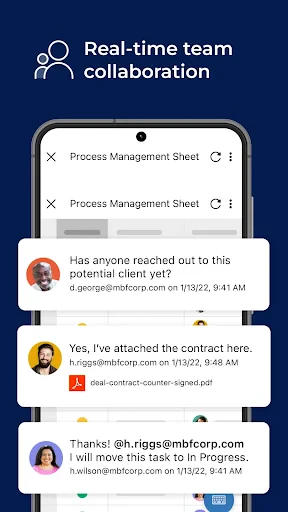
Its collaboration features are particularly effective, with real-time updates ensuring alignment. The ability to assign tasks, set deadlines, and attach files directly within the platform centralizes communication and eliminates document clutter.
Integration Capabilities and Mobile Management
Smartsheet excels at integration, connecting smoothly with major platforms like Google Workspace, Microsoft Office 365, and Salesforce. This consolidates information from various tools into a single, accessible hub.
Full functionality on Android and iOS devices provides constant access, allowing for project management and updates from any location.
Overall Assessment
Smartsheet operates as a reliable and intelligent organizational system. Its efficiency and flexibility make it a valuable tool for project managers, team leads, and anyone seeking improved workflow structure.
In summary, Smartsheet: Projects & Teams is a comprehensive platform that unites teams, optimizes processes, and increases output. For those seeking to replace operational chaos with order, it is a compelling option worthy of consideration.
Pros
- Intuitive interface for project management
- Real-time collaboration features
- Flexible templates for various projects
- Integrates with other business tools
- Mobile app for on-the-go access
Cons
- Limited offline functionality
- Steep learning curve for new users
- Higher cost for premium features
- Notification overload possible
- Requires constant internet connection
Frequently Asked Questions
What is Smartsheet and how does it work?
Smartsheet is a cloud-based platform designed to simplify project management and team collaboration. It allows users to plan, track, automate, and report on projects in an organized manner. Smartsheet integrates with various apps and platforms, facilitating seamless communication and task management. Its user-friendly interface supports different views like grid, card, Gantt, and calendar, making it adaptable to diverse project needs.
Is Smartsheet suitable for small teams or only large enterprises?
Smartsheet is versatile and caters to both small teams and large enterprises. Its scalable features make it ideal for businesses of all sizes. Small teams can utilize it for daily task management and collaboration, while larger organizations can benefit from its advanced project planning and reporting capabilities. The platform’s adaptability ensures that it meets the requirements of various team sizes and project complexities.
What integrations does Smartsheet offer with other tools?
Smartsheet offers extensive integrations with numerous third-party tools, enhancing its functionality and flexibility. Users can connect with popular applications like Microsoft Office 365, Google Workspace, Slack, Jira, and Salesforce, among others. These integrations allow for a streamlined workflow, enabling efficient data sharing, communication, and project management across different platforms.
Is Smartsheet accessible on mobile devices?
Yes, Smartsheet is accessible on mobile devices via its dedicated apps for both Android and iOS. The mobile applications provide users with the ability to manage tasks, collaborate with team members, and view project updates on the go. This ensures that users can stay connected and productive regardless of their location, making it a convenient option for remote teams.
What are the pricing plans for Smartsheet?
Smartsheet offers a variety of pricing plans to suit different needs and budgets. The plans typically include a free trial, followed by options like Individual, Business, and Enterprise subscriptions. Each plan varies in terms of features, user capacity, and support. Detailed pricing information is available on Smartsheet's official website, where users can compare options and choose the best fit for their organization.
Technical Info
Recommended For You

ThinkDiag+

Filtre for Selfie

NuFACE

Mirror App - Makeup Mirror

Bolt for Tesla - Tasker Plugin

e-Sword: Bible Study to Go

KeyConnect Digital Car Key

AR Tracer: Trace Drawing

Beauty Make Up Photo Editor

PrinterShare Mobile Print

ADP Mobile Solutions

Volvo Cars

Forex Trading for Beginners

Flowbird Parking

Logo Maker And Logo Creator 3D

Draw Anime: Paint & Sketch App

AUTODOC: buy car parts online

Rain Instant Pay

Girls Hairstyle Step By Step

DIKIDI Online

MTS Urent

Blue Letter Bible

Protection 360™