OfficeSuite Pro + PDF
Business · OfficeSuite Pro PDF Editor For Business Professionals
Screenshots
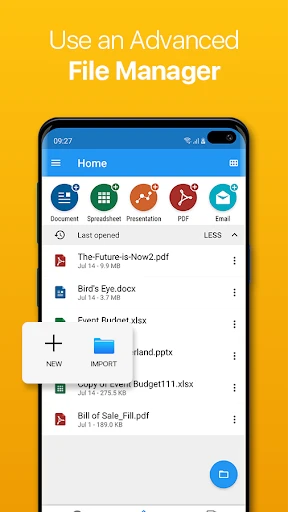
Is OfficeSuite Pro + PDF Your Complete Mobile Office Solution?
For anyone focused on getting things done, managing documents across multiple apps can be a challenge. OfficeSuite Pro + PDF aims to solve that by consolidating key office functions into a single application. After testing it out, I'm sharing my thoughts on whether it truly delivers as an all-in-one mobile office.
Consolidate Your Word, Excel, PowerPoint, and PDF Tasks
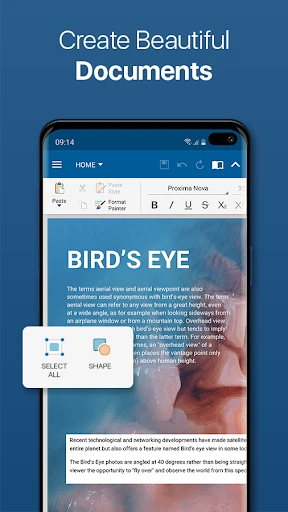
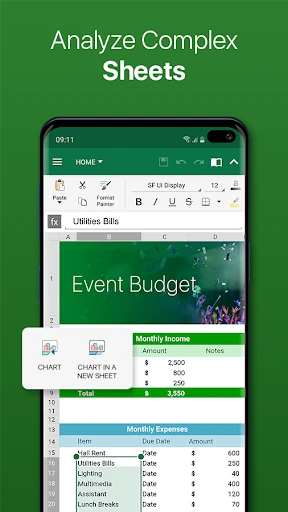
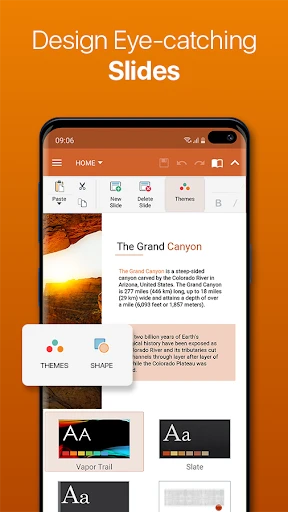
The core promise of OfficeSuite Pro + PDF is unification. This app combines the essential capabilities of Microsoft Office's main programs with integrated PDF functionality. You can create, view, and edit documents, spreadsheets, and presentations directly on your mobile device, removing the need to switch between different applications.
An Intuitive Interface Backed by Robust Tools
Despite its extensive feature set, the app maintains a user-friendly and clear layout. It brings advanced formatting options and cloud integration typically found in desktop software to a mobile environment. Furthermore, its broad file format compatibility—handling .doc, .xls, .ppt, .pdf, and more—makes it exceptionally practical for daily use with diverse documents.
Seamless Access Through Cloud Services
Your workflow likely relies on cloud storage, and OfficeSuite Pro supports that seamlessly. With direct connectivity to Google Drive, Dropbox, OneDrive, and similar platforms, accessing and editing your files from anywhere becomes effortless. This integration proved invaluable for making last-minute edits on the go.
The Highlight: A Capable Mobile PDF Editor
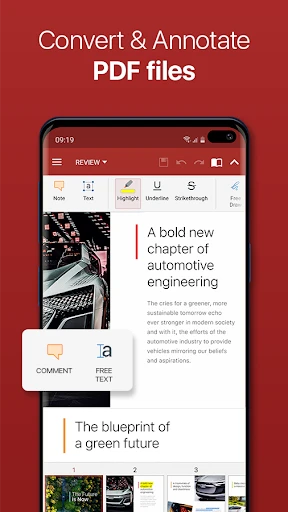
The integrated PDF editor is arguably the app's most compelling component. It transforms the typically cumbersome task of mobile PDF manipulation into a straightforward process. You can annotate, complete forms, and add signatures directly from your device. It should be noted that accessing the full suite of advanced PDF features requires a premium upgrade, which frequent users may find justifies the cost.
Final Verdict
In conclusion, OfficeSuite Pro + PDF is a strong contender for your primary mobile office app. It balances powerful functionality with an accessible design. While a subscription unlocks its premium tools, the free version remains sufficiently capable for many common tasks. For students, professionals, or anyone needing organized document management, this app is a valuable asset to consider adding to your device.
Pros
- Comprehensive office suite functionality
- Seamless integration with cloud services
- User-friendly interface
- Supports multiple file formats
- Regular updates and improvements
Cons
- Subscription required for full features
- Can be resource-intensive on older devices
- Occasional syncing issues
- Limited free version functionality
- Some features require internet access
Frequently Asked Questions
What platforms is OfficeSuite Pro + PDF available on?
OfficeSuite Pro + PDF is available for both Android and iOS platforms. It offers a seamless experience across devices, allowing users to view, edit, and create documents on the go. This cross-platform compatibility ensures that whether you're using a smartphone or tablet, you'll have access to OfficeSuite's robust features and capabilities.
Can I edit PDF documents with OfficeSuite Pro + PDF?
Yes, OfficeSuite Pro + PDF allows users to edit PDF documents. This feature includes options to annotate, fill forms, and convert PDFs to Word, Excel, or ePub formats. The app provides a comprehensive set of tools that make handling PDFs as easy as managing standard office documents, enhancing productivity for users.
Does OfficeSuite Pro + PDF support cloud storage integration?
OfficeSuite Pro + PDF does support cloud storage integration with popular services like Google Drive, Dropbox, OneDrive, and Box. This feature enables users to easily access and save their documents directly from the cloud. It provides a convenient way to ensure that your files are synchronized across all your devices and always accessible.
Is there a free version of OfficeSuite Pro + PDF available?
OfficeSuite Pro + PDF offers a free version with basic features, but users can upgrade to the Pro version for more advanced functionalities. The Pro version includes additional tools such as enhanced PDF capabilities, extra storage options, and premium support. This tiered approach allows users to choose a plan that best fits their needs and budget.
How user-friendly is OfficeSuite Pro + PDF for beginners?
OfficeSuite Pro + PDF is designed with a user-friendly interface that caters to both beginners and experienced users. The app features intuitive navigation and clear instructions, making it easy for new users to start creating and editing documents. Additionally, the app offers tutorials and customer support to assist users in maximizing its features effectively.
Technical Info
Recommended For You

HerBible--Verses&Prayer

Bible For Women-Holy Bible App

When I Work Team Scheduling

Zoom for Chromebook

Cookie Cutters

Microsoft Designer

King James Bible - Verse+Audio

Easy Pose - 3D pose making app

FantacyStory: novels, fictions

Hinovel

PocketBook reader - any books

Beauty Camera & Makeup Camera

Photo App - AI Photo Enhancer

Glassdoor | Jobs & Community

Hair Color Changer: Change you

My Firestone

Car play/Android Auto Sync

Upwork for Freelancers

Zoom Workplace

Luvme Hair

PayPal POS (ex Zettle)

AnyDesk Remote Desktop

Forex Trading for Beginners