
Receipt Scanner: Easy Expense
Business · Smart Receipt Scanner For Easy Expense Tracking
Screenshots
My Review of the Receipt Scanner: Easy Expense App
Managing expenses is often a tedious chore, but the Receipt Scanner: Easy Expense app claims to offer a solution. After testing it extensively, here is my detailed assessment.
Initial Setup and Interface
Getting started with Receipt Scanner: Easy Expense is remarkably straightforward. Download and installation are quick, leading you directly into a clean and user-friendly interface. The design prioritizes simplicity, ensuring you can begin organizing your finances without navigating a complex setup process.
Core Features and Capabilities
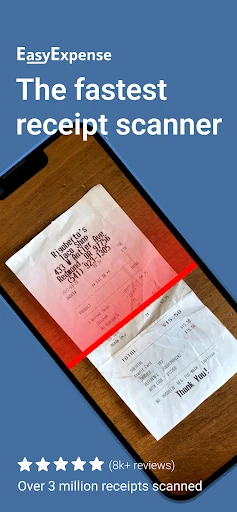
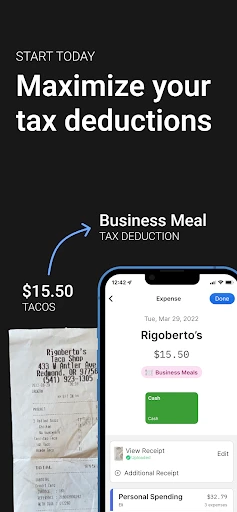
The app's automated receipt scanning is its most powerful tool. Simply capture an image of a receipt, and it intelligently extracts key data—including total amount, date, and merchant—before sorting it into an appropriate category. This eliminates the need for tedious manual entry.
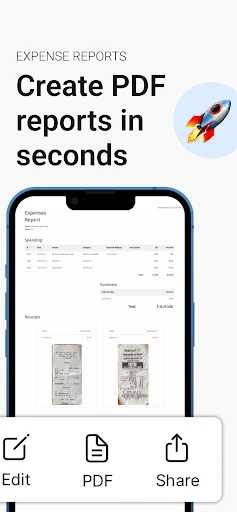
Beyond scanning, the robust reporting function is a major asset. It allows for the creation of detailed expense summaries on a weekly, monthly, or custom basis, which is invaluable for budgeting, tax preparation, or business expense management.
Performance and Usability
In daily use, the app performs reliably and smoothly. Support for multiple currencies is a particularly useful feature for international users or travelers. The overall experience feels polished and efficient, truly simplifying expense tracking.
It is worth noting that scan accuracy can occasionally dip with crumpled, faded, or poorly lit receipts. While this is a common limitation among scanning technologies, it's something users should be aware of for optimal results.
Final Verdict
Receipt Scanner: Easy Expense is a highly effective tool for automating expense management. Its combination of a intuitive design, accurate scanning, and insightful reporting makes it a strong choice for professionals, travelers, and anyone seeking to declutter their financial paperwork. For the best performance, ensure your receipts are as clear as possible.
Pros
- Fast and accurate receipt scanning.
- Categorizes expenses automatically.
- Supports multiple currencies.
- Export data to PDF or Excel easily.
- User-friendly and intuitive interface.
Cons
- Limited free version features.
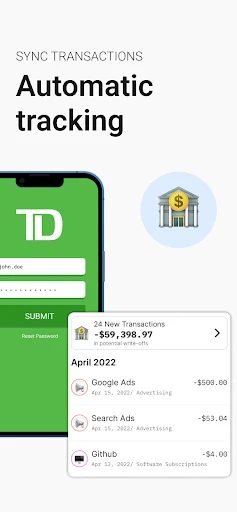
- Occasional syncing issues.
- Requires camera permissions.
- No offline scanning capability.
- Ads in the free version.
Frequently Asked Questions
What platforms is Receipt Scanner: Easy Expense available on?
Receipt Scanner: Easy Expense is available for both Android and iOS devices. Users can download it from the Google Play Store or the Apple App Store. It is designed to help users easily scan and manage their receipts directly from their smartphones, providing a seamless experience across multiple platforms.
How does Receipt Scanner: Easy Expense help in managing expenses?
Receipt Scanner: Easy Expense assists users in managing their expenses by allowing them to scan, categorize, and store receipts digitally. This app automatically extracts important details such as date, vendor, and amount from the receipts, thereby helping users track their spending habits and organize their financial records efficiently.
Is my data secure with Receipt Scanner: Easy Expense?
Yes, Receipt Scanner: Easy Expense prioritizes user data security. The app employs advanced encryption technologies to safeguard personal and financial information. It ensures that all scanned data and receipts are securely stored and accessible only to the user, providing peace of mind when managing sensitive financial information.
Does Receipt Scanner: Easy Expense support integration with other financial tools?
Receipt Scanner: Easy Expense offers integration capabilities with various financial tools and applications. Users can easily export their data to commonly used accounting software and personal finance apps, facilitating a streamlined process for managing their financial records. This feature enhances the app’s utility for both personal and business use.
Are there any subscription costs associated with Receipt Scanner: Easy Expense?
Receipt Scanner: Easy Expense offers both free and premium versions. The free version includes essential features, while the premium version, available through a subscription, unlocks advanced functionalities such as multi-device sync, additional cloud storage, and priority customer support. Users can choose the plan that best fits their needs.
Technical Info
Recommended For You

ParkMobile: Park. Pay. Go.

Bible Study - Verse & Audio

FX File Explorer: Plus License

Pixel Studio: pixel art editor

WhisperFM - Romance Novels

Moonstories

T Shirt Design - T Shirts Art

Nail Art Design : Nails Polish

SAP Concur

Audiobooks.com: Books & More

Rain Instant Pay

AR Drawing Paint Sketch Trace

Workvivo

CamCard-Digital business card

ArtistAI: AI Photo Generator

طاقچه؛ کتاب الکترونیکی و صوتی

The Language of Letting Go

Quran for Android

StyleSeat: Book Hair & Beauty

USPS MOBILE®

밀리의 서재 - 독서와 무제한 친해지리

ThinkDiag+

زخرفة الكتابة بكل انواع الخطوط