
Photoleap: AI Photo Generator
Art & Design · AI Photo Editor Unleash Creativity For Everyone
Screenshots


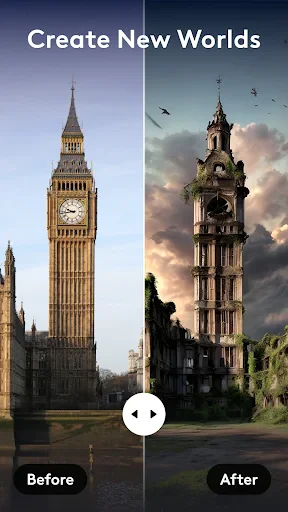
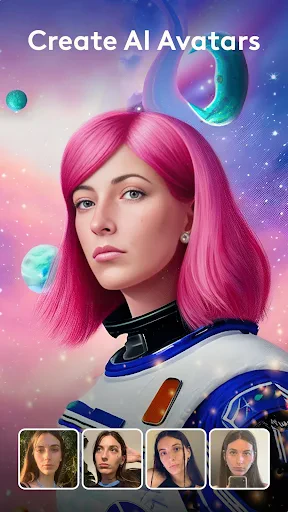
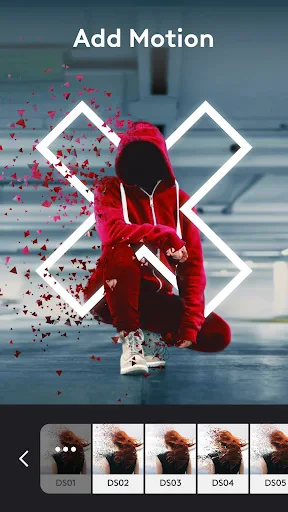
Elevate Your Images from Ordinary to Extraordinary with Photoleap
Have you ever wanted to transform your photos from ordinary to extraordinary with just a few simple taps? Photoleap: Photo Editor/AI Art makes this possible. Designed for both photography enthusiasts and casual smartphone users, this app is set to redefine your approach to photo editing.
A Professional Creative Studio in Your Pocket
Photoleap transcends typical photo editing apps by offering a portable, professional-grade creative suite. Its distinction lies in powerful AI tools that deliver genuinely magical results. Envision converting an everyday picture into a breathtaking artwork—essentially channeling your inner digital master painter.
These intelligent features are both easy to use and delightfully engaging. Witness your images evolve as the AI enhances colors, perfects lighting, and applies sophisticated artistic styles—effects that once required extensive skill. Consider it your personal editing assistant, intuitively realizing your creative vision.
Designed for Simplicity and Ease
Not everyone is a technical expert, and Photoleap is built with this in mind. Its interface prioritizes user-friendliness for all skill levels. Navigating the app is a seamless experience, with a logical layout that places every tool and feature within easy reach, eliminating confusion.
The app masterfully combines straightforward operation with deep capability. Perform essential adjustments like cropping and exposure, or undertake advanced edits such as image blending and texture addition—all within an organized and unintimidating environment. It's a comprehensive toolkit, presented without clutter.
An Expansive Canvas for Creativity
Photoleap is overflowing with features that turn editing into a playful discovery. Experiment with double exposure, then adorn your photos with whimsical stickers and overlays from a rich content library. The diverse filter collection provides the perfect finishing touch, whether you seek a classic look or a contemporary edge.
The layered editing capability is a particularly powerful tool, enabling complex, customized creations. Add text, modify transparencies, and combine multiple layers to craft something uniquely yours. It brings the essence of desktop editing software directly to your mobile device.
Your Essential Creative Companion
In a digital landscape crowded with images, Photoleap provides the means to make yours shine, no professional training required. Its purpose is to unlock your creative potential and make the process enjoyable. From portraits and scenery to food photography, the app streamlines every editing task.
If you are prepared to enhance your photography and explore the possibilities of AI art, Photoleap is your ideal starting point. More than an application, it is a collaborative partner for your creativity. Begin your editing adventure today.
Pros
- Intuitive user interface for easy navigation.
- Wide range of editing tools and features.
- High-quality output for professional results.
- Regular updates with new features.
- Strong community and support services.
Cons
- Requires a subscription for full features.
- Can be resource-intensive on some devices.
- Limited free version capabilities.
- Occasional bugs with new updates.
- User data might be shared with third parties.
Frequently Asked Questions
What is Photoleap: Photo Editor/AI Art and what can it do?
Photoleap: Photo Editor/AI Art is a versatile photo editing application that allows users to enhance, transform, and creatively manipulate their images. The app offers a wide range of tools, including filters, effects, and AI-driven features, enabling users to create stunning visuals and art pieces effortlessly. It's suitable for both casual users and professional photographers seeking advanced editing capabilities on their mobile devices.
Is Photoleap suitable for beginners in photo editing?
Yes, Photoleap is designed to be user-friendly and accessible to beginners, thanks to its intuitive interface and guided tutorials. The app offers various preset filters and one-touch enhancements that make it easy for new users to start editing their photos without needing any prior experience. Additionally, the app provides learning resources to help users become more proficient over time.
Does Photoleap offer AI-generated art features?
Photoleap includes AI-generated art features that allow users to transform their photos into artistic masterpieces. The app uses advanced algorithms to apply artistic styles and effects, turning ordinary images into unique artworks. This feature is popular among users looking to explore creative expressions and experiment with different art styles using their own photos as a base.
What are the in-app purchase options available in Photoleap?
Photoleap offers a range of in-app purchases, including premium subscription plans that unlock additional features and content. Users can choose from monthly or annual subscriptions, providing access to exclusive tools, effects, and advanced editing capabilities not available in the free version. These purchases enhance the overall editing experience, catering to users who require more comprehensive photo manipulation options.
Is Photoleap available for both Android and iOS devices?
Yes, Photoleap is available for download on both Android and iOS platforms. Users can find the app on the Google Play Store for Android devices and the Apple App Store for iOS devices. This cross-platform availability ensures that a wide range of users can enjoy Photoleap's powerful photo editing tools and AI art features, regardless of their preferred mobile operating system.
Technical Info
Tags
Recommended For You

CarLink: MirrorLink & Car Play

Hallow: Prayer & Meditation

Jooble — Job Search App

Unicorn Stickers & Emoji Packs

Jotform - Form, Sign & Survey

AR Drawing: Sketch, Art, Paint

Xcel Energy

Shiftsmart - Find Work

Cars Mod for Minecraft PE 2025

Rhinoplasty App: Nose Editor

AR Drawing - Sketchar App

My Verizon For Business

King James Bible - KJV Offline

Sunoco: Pay fast & save

CL Theme Road

Typology Paris - Skincare

Fonto - story font for IG

Keys simulator and cars sounds

Beauty Camera: Selfie Editor

Wikipedia

Pixilart - Make Pixel Art

Magic Beauty Makeup Camera

Birthday Invitation Card Maker
