
Infinite Painter
Art & Design · Infinite Painter Professional Mobile Art Studio For Artists
Screenshots
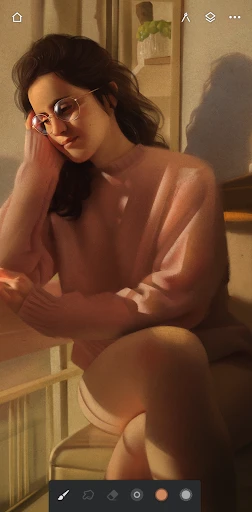
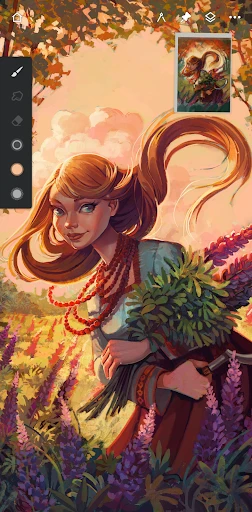
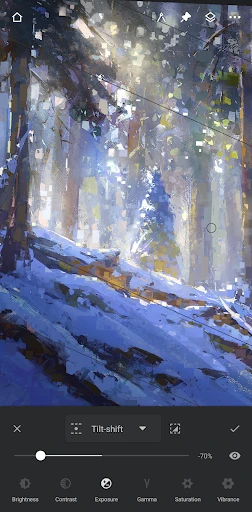
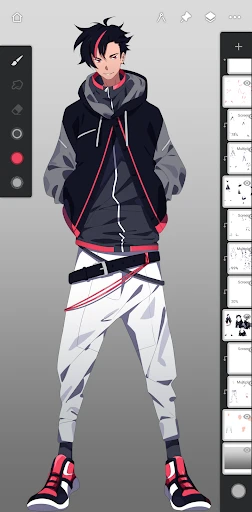
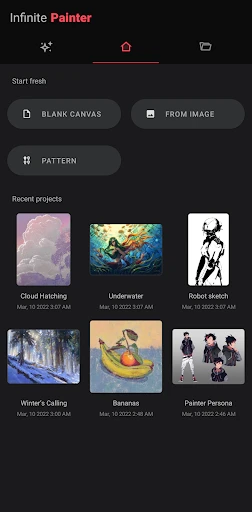
Infinite Painter: Your Digital Art Studio
Unlock Creativity Instantly
Calling all artists and hobbyists! For anyone on the quest for the perfect digital art application, Infinite Painter is a discovery worth making. Imagine a limitless sketchbook, designed for your phone or tablet. This app welcomes everyone, from seasoned professionals to those just beginning their artistic exploration.
A Comprehensive Toolkit in Your Hands
The true strength of Infinite Painter lies in its extensive toolset. It transcends basic brushes to provide a complete portable workshop. Explore a remarkable range of mediums including pencils, oils, and watercolors, with deep customization for size, opacity, flow, and brush tip dynamics.
A standout feature is the intuitive color wheel, offering precise and effortless color selection. The ability to save custom color palettes ensures your perfect hues are always accessible, eliminating the frustration of recreating specific mixes and streamlining your creative process.
Performance You Can Rely On
An app's features mean little without stability. Infinite Painter excels in performance, running smoothly on both Android and iOS devices. It handles large, detailed canvases without noticeable lag or crashes, providing a reliable foundation for serious work.
Flexibility extends to exporting your creations. Support for multiple file formats, including PSD, allows for seamless transfer to desktop software. Sharing your finished artwork with communities or friends is also a straightforward and hassle-free experience.
Final Recommendation: Is It Worth It?
Absolutely. Infinite Painter is a premium choice for both commercial artists and casual doodlers. It delivers a powerful, professional-grade suite of tools within an accessible interface. Consistent updates with enhancements and improvements demonstrate a committed development team dedicated to its user community.
For anyone ready to elevate their digital art, Infinite Painter is essential. It effectively condenses a full art studio into your pocket, offering an experience so engaging that returning to lesser apps becomes unthinkable.
Begin Your Masterpiece
Pros
- Intuitive and user-friendly interface.
- Wide range of brushes and tools.
- Excellent layer management system.
- High-quality output options available.
- Compatible with multiple file formats.
Cons
- Limited free version features.
- Occasional performance lags.
- Requires a learning curve.
- Some tools need refinement.
- Not optimized for older devices.
Frequently Asked Questions
What features does Infinite Painter offer for digital artists?
Infinite Painter is packed with a wide array of features tailored for digital artists, including over 160 natural brushes, advanced layer support, and intuitive gesture controls. The app also provides robust tools for blending, pattern creation, and perspective guides, making it a comprehensive tool for both beginners and professional artists looking to create stunning artwork.
Is Infinite Painter suitable for beginners in digital art?
Yes, Infinite Painter is suitable for beginners as it offers an intuitive interface with easy-to-use tools and tutorials designed to help new users get started. The app’s user-friendly layout and comprehensive help resources make it accessible for individuals new to digital painting, while still offering advanced features for more experienced artists.
Can I use Infinite Painter on both Android and iOS devices?
Infinite Painter is available on both Android and iOS platforms, allowing users to enjoy its features across different devices. This cross-platform availability ensures that users can seamlessly transition between their smartphone and tablet, maintaining their workflow regardless of the device they are using.
Does Infinite Painter support custom brush creation?
Infinite Painter provides extensive support for custom brush creation, allowing artists to design and save their unique brushes. Users can tweak settings like shape, texture, and dynamics to create brushes that fit their specific artistic needs, offering a personalized touch to their digital artwork.
What is the cost of using Infinite Painter, and are there any in-app purchases?
Infinite Painter offers a free version with basic features, but to unlock its full potential, users can opt for the premium version. The premium version involves a one-time purchase, providing access to all features and tools. Users can also expect occasional in-app purchases for additional content or specialized brushes.
Technical Info
Recommended For You

CL Theme Card

Valvoline Instant Oil Change

Dynamic Drive

Readink - Read Good Web Novel

Fuel Forward

Virtual Hair Style Changer

Planity

Wehear - Audiobooks & Stories

Fuelio: gas log & gas prices

ReadAnywhere

BitBible (Lockscreen, English)

Amazon A to Z

Unicorn Stickers & Emoji Packs

Inky - Run Inkscape on Android

Hwahae(Korea’s Beauty APP)

Learn Drawing

Recraft

CL Theme Road

Tinker DIY

Picky - Beauty Community

Freed Audiobooks

DriveTime Used Cars for Sale

MySpot Driver
