
Show My Colors: Color Palettes
Beauty · Color Palette Generator For Designers Artists
Screenshots
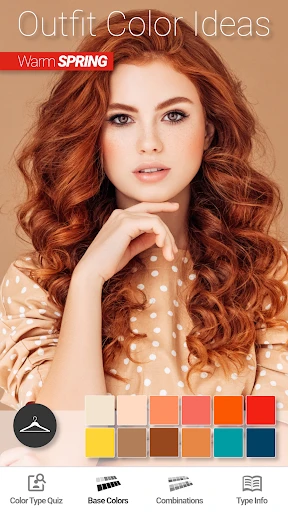


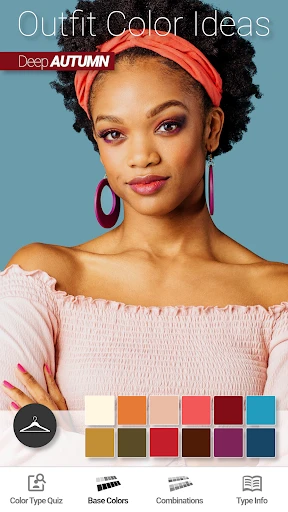
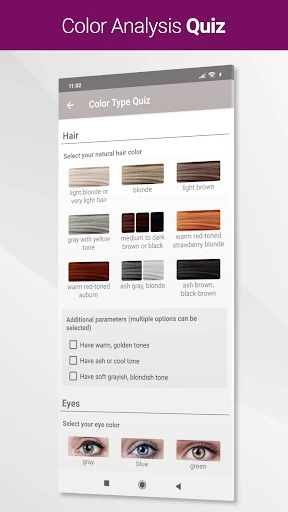
Show My Colors: Your Creative Palette Companion
Ever been inspired by the colors of a sunset or a vibrant painting? Show My Colors: Color Palettes transforms the hues around you into usable digital palettes. This intuitive app is the perfect assistant for designers, artists, and color enthusiasts seeking to capture the world's beauty.
Capture Colors Instantly
The core function is effortless color discovery. Simply aim your device's camera at any scene, and the app instantly generates a color scheme. It acts as a portable color consultant, turning your everyday surroundings into a source of immediate inspiration.
Show My Colors prioritizes simplicity. Its clean, uncluttered interface ensures a smooth experience for all skill levels. Navigating the app feels intuitive, allowing you to focus entirely on color exploration without distraction.
Organize and Integrate Your Palettes
A standout feature is the ability to save and categorize your discoveries. Create custom collections for projects, moods, or themes—from "Ocean Views" to "Autumn Textures." This organization makes retrieving your perfect palette for any task quick and simple.
The app seamlessly fits into your workflow with export capabilities. Directly share your color palettes with popular design software like Adobe Photoshop, bridging the gap between inspiration and application.
Learn and Share
Beyond extraction, the app serves as an educational tool. Each color is detailed with its HEX, RGB, and CMYK values, essential for both digital and print work. It also offers guidance on color harmony and contrast, empowering you to make informed design decisions.
Connect with a community of creators through the sharing features. Browse palettes from users worldwide for fresh inspiration, or publish your own discoveries. It’s a vibrant exchange of color perspectives.
The Essential Tool for Color Inspiration
In summary, Show My Colors: Color Palettes is a vital creative partner. It provides powerful, user-friendly tools that translate the physical world into your digital projects. For professionals and hobbyists alike, it makes incorporating real-world color into your work effortless.
Ready to revitalize your projects with fresh inspiration? Try Show My Colors. It’s like seeing the world through a new, more colorful lens—an experience every creator will appreciate.
Pros
- Intuitive interface for easy color selection.
- Wide range of palettes for diverse needs.
- Custom palette creation for unique projects.
- Smooth integration with design tools.
- Fast performance with minimal lag.
Cons
- Limited free features without subscription.
- Occasional bugs in color rendering.
- No offline mode available.
- High battery usage on prolonged use.
- Ads in free version can be distracting.
Frequently Asked Questions
What is Show My Colors: Color Palettes?
Show My Colors: Color Palettes is an innovative app designed to help users create, customize, and share beautiful color palettes. Whether you're a designer, artist, or simply someone who loves experimenting with colors, this app provides a wide range of tools and features to explore hues and create stunning palettes for any project.
How do I create a color palette in Show My Colors?
To create a color palette in Show My Colors, simply open the app and select the 'Create Palette' option. You can choose colors manually or use the app's color picker tool to select colors from images. Once your palette is created, you can save it, share it, or use it in your design projects.
Can I use Show My Colors: Color Palettes for professional design work?
Yes, Show My Colors: Color Palettes is suitable for both personal and professional use. The app offers advanced features like color harmonies, gradient tools, and export options that are ideal for professional designers. It supports various file formats, ensuring that your palettes can be seamlessly integrated into any design workflow.
Is Show My Colors: Color Palettes available for both Android and iOS devices?
Yes, Show My Colors: Color Palettes is available for download on both Android and iOS platforms. You can find the app on Google Play Store for Android devices and the Apple App Store for iOS devices. Ensure your device meets the minimum system requirements for optimal performance.
Does Show My Colors: Color Palettes offer a free version?
Yes, Show My Colors: Color Palettes offers a free version that includes basic features for creating and managing color palettes. For users who need more advanced tools and functionalities, there is a premium version available through in-app purchases. The premium version unlocks additional features like custom color libraries and enhanced sharing options.
Technical Info
Recommended For You

Livensa: AI Video Maker

dēzl™

HD Camera for Android

FX File Explorer: Plus License

Daily Bible: Holy Bible KJV

CL Theme Card

aesthetic background

FillUp - Gas Mileage Log

Cryptoguru: Trading Simulator

Drawing Pad Pro - Sketchpad

CCW – Concealed Carry 50 State

Cookie Cutters

Monster Job Search

AI Photo Editor: Photo Enhance
CamToPlan

Papercopy - Tracer

Paycor Mobile

Hairstyles step by step

Al Quran Kareem: القران الكريم

EPUB Reader for all books

InstaFeet

Nail Art Design : Nails Polish

طاقچه؛ کتاب الکترونیکی و صوتی
