
Hyundai Digital Key
Auto & Vehicles · Digital Car Key For Hyundai Owners
Screenshots
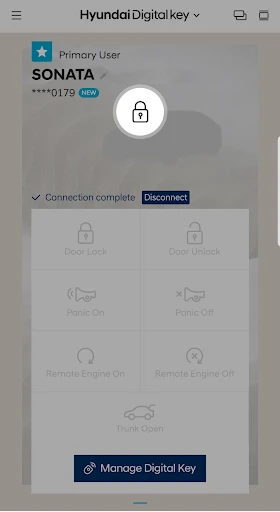
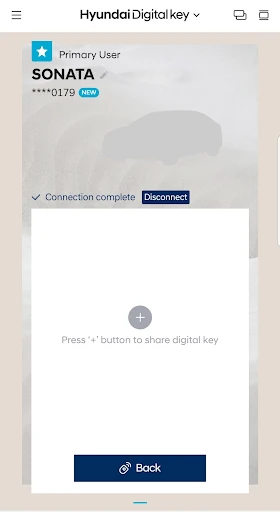


My Hyundai Digital Key: A Modern Keyless Experience
Tired of fumbling with physical keys while managing your daily essentials? The Hyundai Digital Key app transforms your smartphone into a car key, offering a seamless and futuristic alternative that simplifies your routine from the moment you approach your vehicle.
Simple and Straightforward Setup
Setting up the Hyundai Digital Key proved remarkably easy. After downloading the app, I followed clear prompts to pair my phone with my car. Within minutes, I could lock, unlock, and start my Hyundai using just my device. The NFC technology requires only a gentle tap on the door handle or start button, creating an almost effortless experience that quickly feels natural.
Transforming Daily Convenience
In everyday use, the digital key eliminates the hunt for keys in pockets or bags. Whether running errands or heading on a journey, access is always at hand. The app also allows you to securely share digital keys with others, perfect for lending your car. Additionally, the linked driver profiles automatically adjust seating, mirrors, and climate to individual preferences, personalizing the drive for each user.
Built with Protection in Mind
Security concerns are addressed with robust encryption, ensuring only authorized devices can access your car. Should your phone be lost or stolen, you can immediately revoke its permissions through the app. This layered security demonstrates Hyundai's commitment to safeguarding your vehicle against unauthorized digital access.
Considerations for Potential Users
While highly effective, the Hyundai Digital Key does have minor limitations. Its functionality depends on your smartphone having adequate battery life and being operational. Furthermore, the feature is currently available only on select newer Hyundai models, so compatibility should be verified first.
Final Impressions: Innovation at Your Fingertips
The Hyundai Digital Key successfully blends advanced technology with practical utility, offering a glimpse into the evolving future of vehicle access. It’s an upgrade that enhances daily convenience for tech enthusiasts and practical drivers alike. If your Hyundai model supports it, this app is certainly worth exploring to experience a new level of streamlined mobility.
Pros
- Convenient keyless entry and start.
- Easy to share keys with family.
- Secure with Bluetooth technology.
- Compatible with most Hyundai models.
- User-friendly app interface.
Cons
- Limited to newer Hyundai models.
- Requires smartphone with NFC.
- May drain phone battery quickly.
- Initial setup can be confusing.
- Dependent on Bluetooth connection.
Frequently Asked Questions
What is the Hyundai Digital Key?
The Hyundai Digital Key is an innovative app that allows users to lock, unlock, and start their Hyundai vehicles using a smartphone. This digital key replaces the need for a physical key fob, offering convenience and ease of access to your car. It is compatible with selected Hyundai models and provides advanced features such as remote start and climate control.
How do I set up the Hyundai Digital Key on my smartphone?
Setting up the Hyundai Digital Key involves downloading the app from the Google Play Store or Apple App Store, depending on your smartphone. Once installed, you will need to register your vehicle by following the on-screen instructions and pairing your smartphone with your car. Ensure Bluetooth and NFC are enabled on your device for the app to function correctly.
Is the Hyundai Digital Key compatible with all Hyundai models?
No, the Hyundai Digital Key is not compatible with all Hyundai models. It is currently available for select models, primarily newer ones equipped with the necessary technology for digital key functionality. It's advisable to check with your Hyundai dealership or the official Hyundai website to determine if your specific model supports the digital key feature.
What happens if I lose my smartphone?
If you lose your smartphone, you can still access your vehicle using a traditional key fob, which is recommended to keep as a backup. Additionally, you can disable the digital key from your Hyundai account online to prevent unauthorized access. Always ensure your Hyundai account is secure and update your passwords regularly to protect your vehicle's security.
Are there any security concerns with using the Hyundai Digital Key?
Hyundai has implemented several security measures to protect the digital key system, including encryption and user authentication protocols. However, as with any digital technology, there is always a potential risk of hacking or unauthorized access. Users are advised to keep their smartphone's security features enabled, such as biometric authentication, and to regularly update the app to the latest version to ensure optimal security.
Technical Info
Recommended For You

Fiverr - Freelance Service

WhatColors: AI Color Analysis

Spirit Fanfiction and Stories

MM-Calendar

ibis Paint

زخرفة الكتابة بكل انواع الخطوط

CosmoProf Beauty

Mirror App - Beauty Mirror

AppSheet

Mary Kay® Skin Analyzer

NIV Bible version, Offline app

Spark Driver

Learn To Draw Step By Step

Yes Madam - Salon at Home

Pray Daily - KJV Bible & Verse

LogMeIn Rescue Customer

Galatea: Books & Audiobooks

Vaporwave PRO Wallpapers

AI Image Generator: ImagineArt

Fuel Forward

Webfic - Fantastic Reading

Pixel Studio PRO: editor

Fonts - Logo Maker
